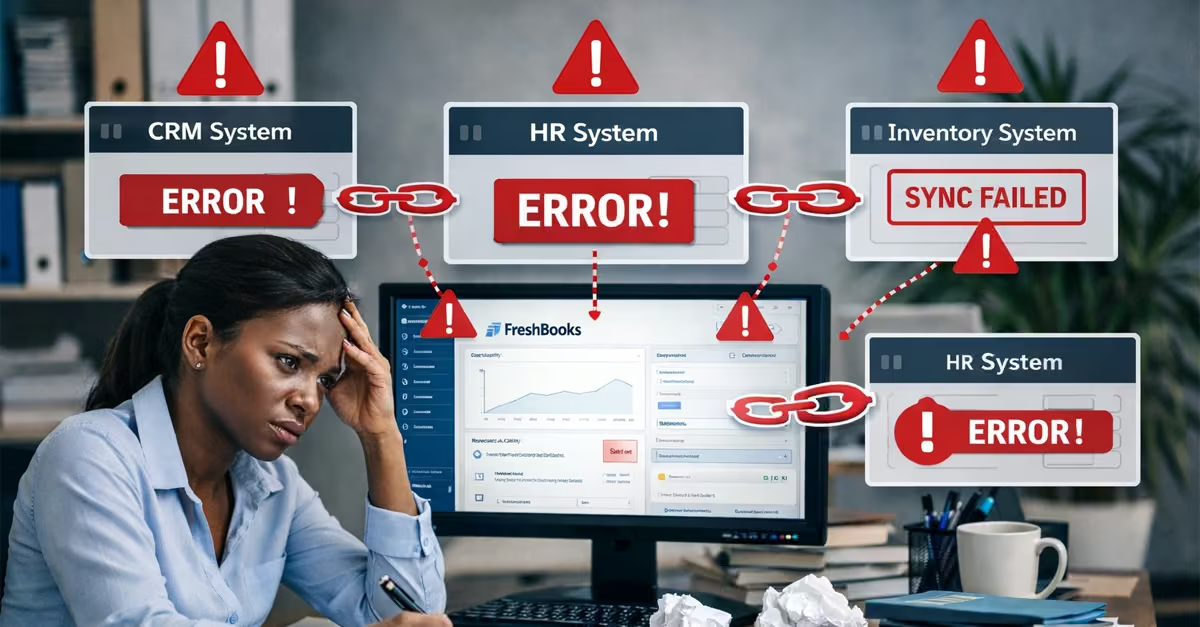
Choosing the right Enterprise Resource Planning (ERP) system software has become a crucial decision for businesses seeking efficiency, visibility, and long-term growth. Many organizations struggle with disconnected systems and separate tools for accounting, inventory, sales, and human resources, which lead to slow operations and increased errors. ERP system software addresses this challenge by bringing core business processes into a single, integrated system, enabling better coordination and data-driven decision-making.
ERP systems come in different types to suit varying business needs and sizes. They include on-premises ERP, which requires the software to be installed on the business’s computers, and cloud-based ERP, which hosts the systems on the software provider’s servers and accesses them through the internet. Some firms also adopt a hybrid ERP, combining on-premises and cloud-based ERPs. Others choose an industry-specific ERP designed for a specific sector.
Modern ERP platforms are built around modular components that support key business functions. Standard ERP modules include finance and accounting, inventory and supply chain management, sales and customer relationship management (CRM), human resources and payroll, procurement, and reporting and analytics. Businesses can implement only the modules they need and expand over time as operations grow.
Essential ERP System Features Every Business Should Evaluate
Choosing the right ERP system involves more than comparing prices or selecting a well-known vendor. The most successful ERP solutions share a set of core features that help businesses bring their data together, improve daily operations, and adapt as the organization grows. Carefully reviewing these features helps ensure the ERP system delivers long-term value rather than becoming an expensive system used rarely. Below are the key ERP features every business should consider, as per Jim (2026)
- Real-Time Data Processing
Data processing is one of the most crucial features to consider when choosing an ERP for your business. This means that when a transaction occurs, it is recorded immediately across the system. Finance teams can see current cash balances, operations teams can monitor inventory levels, and managers can access up-to-date performance information at any time.
- Reporting and Analytics
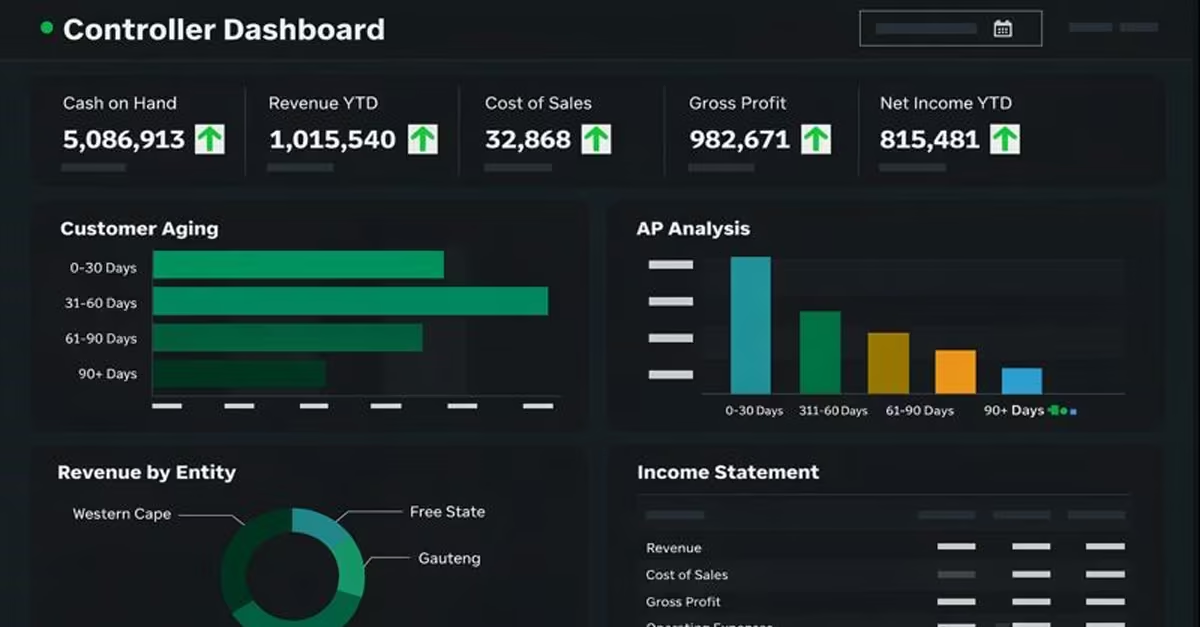
ERP systems collect data from across departments, including finance, operations, supply chain, and human resources, and consolidate it into a single reporting environment. Built-in reporting and analytics tools help businesses track performance, spot trends, and identify potential problems early. Managers can use dashboards and summary reports to get a clear overview of how the business is performing.
- Data Visualization
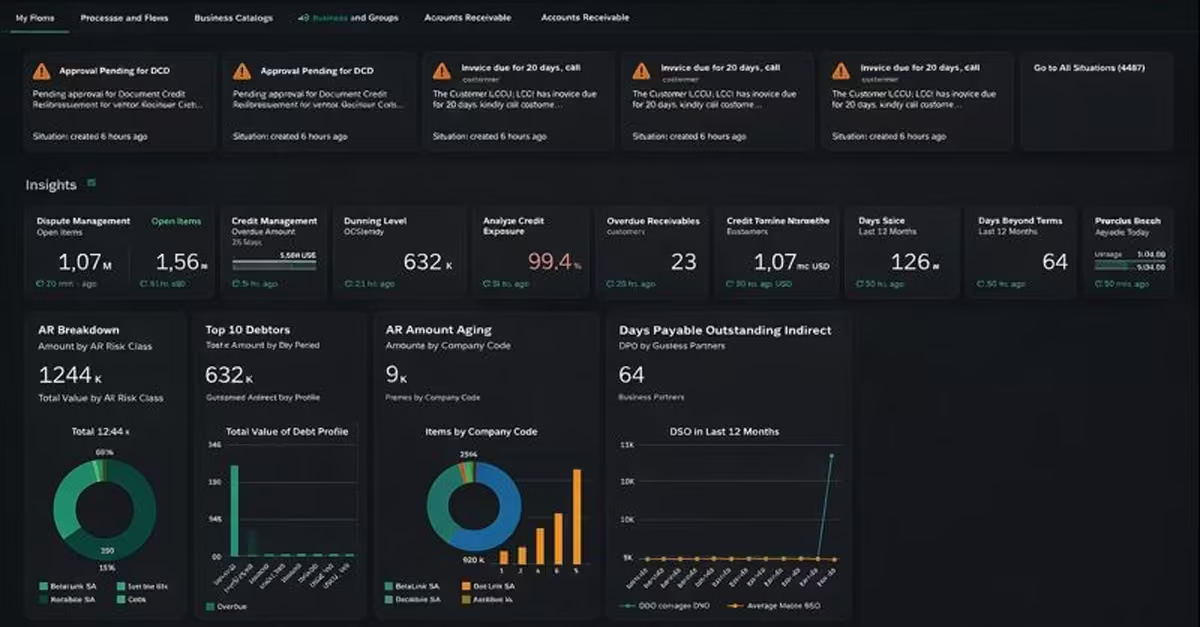
Good ERP systems present information using visual tools such as charts, graphs, and dashboards. These visuals make complex data easier to understand, allowing decision-makers to quickly identify trends, compare results, and measure progress toward business goals. This reduces the time spent reviewing reports and improves decision quality.
- Integrations
Integration capability is a critical feature when evaluating ERP systems. A strong ERP solution should connect different business functions, such as finance, sales, human resources, and supply chain, into a unified system. If the ERP system cannot integrate with existing tools, businesses may be forced to rely on manual processes or replace other software.
- Scalability and Automation
ERP systems are designed to automate routine tasks such as invoicing, payroll, inventory updates, and order processing. Automation reduces manual work, minimizes errors, and ensures processes run consistently. This allows employees to focus on more strategic, value-added activities, so the ERP chosen must support the increased business transactions as the business grows and include automation features.
ERP System Software Benefits
By integrating core business functions into a single platform, ERP helps businesses reduce costs, improve productivity, support collaboration, ensure compliance, and unlock automation opportunities across departments. A study by Ian (2025) highlights the following advantages businesses get from using ERP.
- Cost Savings – By streamlining business processes and improving resource utilization, an entity can deliver cost savings. Additionally, automating tasks such as data entry, financial reporting, and inventory management reduces operational inefficiencies and lowers labor costs.
- Increased Productivity – ERP systems significantly boost productivity by automating routine and repetitive tasks such as transaction processing, report generation, and data updates. Instead of manually entering information into multiple systems, employees work within a single platform where data is captured and updated automatically in real time. This allows staff to focus on higher-value activities such as analysis, planning, and customer engagement.
- Easy Collaboration – A centralized ERP database enables seamless collaboration between departments by providing a single source of information. Teams across all departments access the same data, ensuring consistency and eliminating the need for repetitive reconciliation, thus facilitating collaborations.
- Regulatory Compliance – ERP systems play a critical role in supporting regulatory compliance by maintaining accurate records and automating compliance-related processes. Industries with strict regulatory requirements benefit from built-in controls, audit trails, and standardized reporting.
- Automation Opportunities – ERP systems create extensive automation opportunities by reducing the need for manual intervention in routine business processes. Tasks such as updating records, sending confirmations, processing orders, and generating invoices can be fully automated, saving time and reducing human error.
Read Also: How Cloud Accounting Simplifies Financial Management
Popular ERP Systems Used by Businesses Across Industries
ERP solutions are used by organizations across many industries to meet different operational and regulatory needs. ERP systems bring core functions together and improve overall efficiency in Businesses of all sizes. As most ERP platforms offer similar basic features, each solution has specific strengths designed for certain industries, business sizes, or operational requirements. Understanding the most widely used ERP systems helps organizations identify platforms that best match their business needs, support future growth, and deliver long-term value. A study by John (2025) highlights the following ERP systems.
a) Oracle NetSuite
This is one of the leading cloud-based Enterprise Resource Planning (ERP) solutions that helps businesses manage key back-office functions using a single unified system. NetSuite combines financial management, accounting, inventory and order management, procurement, supply chain, customer relationship management (CRM), and other core functions into a single, scalable solution. On this platform, all modules operate on the same database and share the same infrastructure. As a result, various users within an entity can view real-time financial and operational information without relying on separate systems or expensive on-premises hardware, thereby simplifying business processes.
Best Features of Oracle NetSuite
- Centralized business management – Combines ERP, CRM, finance, and inventory in one cloud system with real-time data.
- Flexibility– Its modular structure allows companies to begin with essential ERP functions and add additional capabilities, making it suitable for many types of businesses, ranging from small and medium-sized enterprises to large global organizations
- Real-time reporting and dashboards – It has built-in analytics that provide clear visual reports without additional tools to decision-makers within an entity.
- Automated workflows – Automates billing, order processing, and revenue tracking to reduce manual work and errors.
- Global business support – Supports multiple currencies, languages, and subsidiaries for international operations.
Common Cons of Oracle NetSuite
- High overall cost – Subscription, implementation, and support costs can be expensive for small businesses.
- Complex implementation – Setup often requires consultants and takes longer to deploy.
- Steep learning curve – Users need training to use the system effectively.
- Unclear pricing – Pricing is not publicly listed and must be negotiated.
b) Microsoft Dynamics 365 Business Central
This ERP is designed for small and medium businesses to manage their core operations with a single, integrated platform. It combines essential business functions such as finance, sales, purchasing, inventory management, project management, and supply chain operations into one system. This integration helps organizations avoid data silos and ensures teams can work with accurate, real-time information across departments.
It has built-in analytics tools, customizable dashboards, and advanced reporting tools. As a result, it facilitates data-driven decision-making and improves visibility into operations across the organization. The platform also includes productivity-enhancing features such as AI-supported automation, real-time inventory monitoring, demand forecasting, and project management tools, helping businesses use resources more effectively and operate more efficiently. Additionally, it includes other Microsoft tools such as Microsoft Teams, Excel, and Outlook, thereby enhancing streamlined daily workflows, automating routine tasks, and enabling access to business insights without switching between separate systems.
Best Features
- Integrated business management – It brings together financials, sales, purchasing, inventory, project management, and operations in a single ERP platform.
- Deep Microsoft ecosystem integration – Works smoothly with Microsoft 365 apps like Outlook, Excel, and Teams, making workflows more efficient and familiar to users.
- Real-time insights and reporting – The built-in dashboards and analytics provide current business performance data without needing extra software.
- Flexible modular design – Offers tiered licensing and modular features, so businesses can start with core functionality and add more as they grow.
Common Limitations
- Total cost can increase with add-ons – Extra modules and user licenses can raise overall ERP expenses for advanced features.
- Implementation complexity – Setting up and customizing the system usually requires experienced partners or consultants, which can lengthen project timelines.
- Learning curve for users – Staff may need significant training to use advanced features effectively.
- Cloud reliance – A full cloud deployment requires a stable internet connection; connectivity issues can affect performance.
Pricing Overview
Microsoft Dynamics 365 Business Central uses a per-user pricing model and is billed annually. It offers three main pricing options as per Microsoft. The Essentials plan costs $80 per user per month. The Premium plan costs $110 per user per month and adds advanced features for manufacturing and service management. The Team Members plan is available for $8 per user per month with limited functionality. Microsoft also offers a 30-day free trial, allowing businesses to test the system before committing.
c) Sage Intacct
This ERP is known for accounting and finance management. It is designed to simplify core financial processes and gain clearer visibility into overall performance for mid-sized businesses. Sage Intacct focuses mainly on strong core financial functions, such as accounts payable, accounts receivable, cash management, and the general ledger. It can also offer advanced support for multi-entity and multi-currency operations. Thus making it easier for businesses to manage accounting across subsidiaries and international operations. It is commonly used in financial services, nonprofit organizations, professional services businesses, and health care.
The platform also provides customizable dashboards and real-time reporting tools, helping managers monitor key performance indicators without relying on external spreadsheets or reporting systems. Sage Intacct integrates with many third-party applications through open APIs, enabling companies to connect payroll, CRM, expense, and billing systems to create a broader ERP-style solution that fits their workflows.
Best Features of Sage Intacct
- Enhanced financial management and reporting – Sage Intacct provides a strong general ledger, accounts payable/receivable, and real-time dashboards with multi-entity visibility, helping finance teams understand business performance deeply.
- Flexible dimensional accounting – Businesses can tag financial data by department, location, project, or customer, making reporting and profitability analysis more adaptable.
- Scalable cloud architecture – As a cloud-based ERP, Intact supports business growth with automated workflows and multi-currency management without complex on-premises infrastructure.
- Third-party integration support – Intacct connects with CRM, payroll, expense, and billing systems via open APIs, letting companies create a tailored ERP ecosystem.
Common Limitations
- Focused mainly on financials – Sage Intacct lacks extensive modules for CRM, HR, or advanced manufacturing. As a result, an organization will need additional tools or integrations for a complete ERP solution.
- Pricing complexity and variability – Subscription- and module-based pricing can be confusing and may become expensive as a business adds more features.
- Learning curve and usability concerns – Some users find that advanced reporting requires training, and the interface may feel less intuitive than those of other modern cloud platforms.
- Internet dependency – Being cloud-only, it requires a stable internet; poor connectivity can affect usability.
Pricing Overview
Sage Intacct does not have fixed pricing, as costs depend on the number of users, selected modules, and implementation needs. For most small- to mid-sized businesses, annual fees typically range from $15,000 to $30,000, with additional setup and support costs. Because pricing is customized, companies must request a quote, and the system is generally better suited for businesses with more complex accounting requirements.
d) Odoo
Odoo is an open-source, modular ERP platform developed to enable businesses to manage a wide range of operations. This platform helps an organization manage its operations, ranging from accounting, inventory management, Customer relationship management, human resources, and e-commerce, through a single, unified system. Its modular design allows organizations to start with key applications and add more modules as their needs grow, making it an attractive option for small and medium-sized businesses seeking flexibility without high upfront costs. It also allows businesses to customize their workflows and features to align with their processes, since it’s open-source software. Odoo’s intuitive interface and cloud-based deployment support modern business needs for mobility, integration, and quick updates.
Odoo offers hundreds of integrated apps covering essential operations such as accounting, point of sale, inventory management, project management, marketing automation, and customer support.
Best Features of Odoo ERP
- Unified platform with seamless data flow – Built-in integration across apps like accounting, sales, inventory, CRM, and e-commerce ensures updates in one area automatically reflect throughout the system.
- Open-source customizability – Its open-source foundation allows developers and partners to tailor workflows, reports, and interfaces to fit specific industry or business needs.
- User-friendly interface – Modern, intuitive design and navigation reduce the learning curve, making it easier for employees across departments to adopt the system.
- Modular, scalable design – Odoo’s app-based structure lets businesses start with core functions and expand by adding modules as needed, offering flexibility without unnecessary complexity
Common Limitations
- Customization and maintenance effort – Extensive customizations often require technical expertise, especially for self-hosted installations and unique features.
- Inconsistent feature depth – Some modules, such as manufacturing or resource planning, may be less advanced than specialized systems, requiring add-ons or third-party extensions.
- Support quality varies by partner – Because Odoo relies heavily on implementation partners, user experience and support can differ significantly.
- Upgrade challenges for self-hosted deployments – On-premises or self-managed Odoo installations can face complexity when upgrading to major new releases.
ERP Pricing Overview
Odoo ERP pricing is commonly provided through local implementation partners. A Kenyan partners such as SDLC Corp states that a Starter package costs around KES 350,000 for basic modules and setup. Your Growth package is approximately KES 700,000 for additional modules and integrations, and the Enterprise package starts from KES 1,200,000 and above for a full-scale ERP implementation.
e) Freshbooks
FreshBooks is an online accounting and financial management software designed primarily for small businesses, freelancers, and service businesses that need a simple, easy way to manage invoicing, expenses, and bookkeeping. FreshBooks is a Web-based software-as-a-service (SaaS) that includes features such as automated invoicing, expense and time tracking, double-entry accounting reports, and bank transaction imports, and can be accessed from both desktop computers and mobile devices. This reduces the need for a full-fledged ERP, but enables business owners to send invoices, log billable hours, and view income and expenses through a single, simple interface.
Best Features of FreshBooks
- Simple, user-friendly accounting – an intuitive interface lets small business owners and freelancers handle invoicing, expenses, and bookkeeping without advanced accounting knowledge.
- Automated invoicing and expense tracking – Create professional invoices automatically, track billable hours, and manage expenses efficiently.
- Real-time financial visibility – Monitor income, expenses, and cash flow instantly, helping users make informed decisions.
- Mobile app and integrations – Access key functions on the go and connect with third-party tools to expand functionality without complexity.
Common Limitations
- Limited ERP capabilities – FreshBooks focuses mainly on accounting and does not offer full ERP features like inventory management, supply chain, or HR.
- Advanced reporting limitations – While suitable for small businesses, some reporting and analytics functions may not meet the needs of larger organizations.
- Scalability constraints – As a small-business-focused platform, it may become less practical for rapidly growing companies requiring broader ERP capabilities.
- Dependence on internet access – Being cloud-based, a stable internet is required to access and update data.
Pricing Overview
FreshBooks uses a pricing model based on three main plans designed for small businesses and freelancers. The Lite plan costs about $21 per month and suits freelancers or very small businesses. The Plus plan, priced at around $38 per month, supports growing businesses with more clients and features. The Premium plan, at approximately $65 per month, is intended for larger enterprises. Additional team members cost about $11 per month, and optional add-ons such as advanced payments and payroll can increase the total cost. FreshBooks also offers a 30-day free trial and occasional introductory discounts, making it an affordable entry-level accounting solution compared to complete ERP systems.
f) SAP S/4HANA
SAP S/4HANA is an ERP platform designed to help large and mid-sized enterprises manage business operations with high efficiency, speed, and real-time data processing. It has a built-in memory database that helps integrate key business functions such as finance, supply chain, manufacturing, procurement, sales, and human resources into a single intelligent system.
S/4HANA offers real-time analytics, embedded AI, and advanced reporting, enabling organizations to make faster, data-driven decisions. Its digital core supports global operations, multi-currency transactions, and regulatory compliance, making it well-suited for multinational enterprises seeking standardization and advanced automation. The platform is highly scalable and configurable, with deployment options in the cloud, on-premises, or hybrid environments. The business mainly uses this ERP system to integrate global operations, improve agility, and drive digital transformation initiatives.
Best Features
- Real-time data processing – Built on the in-memory SAPS/4HANA database, enabling instant analytics, reporting, and faster decision-making.
- Comprehensive business coverage – Integrates finance, supply chain, manufacturing, procurement, sales, and HR within a single platform.
- Industry-specific solutions – Offers pre-configured processes and templates for sectors such as manufacturing, retail, energy, and professional services.
- Advanced intelligent technologies – Embedded AI, machine learning, IoT integration, and predictive analytics help optimize operations and automate workflows.
Common Limitations
- High implementation cost – Significant upfront investment in licensing, hardware, and consulting is often required.
- Complex deployment – Full-scale implementation can take months or years, depending on the organization’s size and complexity.
- Steep learning curve – Users may need extensive training to use advanced features effectively.
- Customization challenges – While highly configurable, extensive customizations can increase maintenance complexity and complicate upgrades.
Pricing Overview
SAP S/4HANA does not have fixed pricing, as costs depend on how the system is deployed, the modules selected, and the company’s size. Cloud subscriptions usually start at around $200 per user per month. At the same time, on-premises setups involve a large upfront license cost plus yearly maintenance, with total first-year expenses often reaching $75,000 to $250,000 or more. Due to this high investment, SAP S/4HANA is best suited for large organizations with complex global operations rather than small businesses.
Common Mistakes to Avoid When Choosing ERP Software
Selecting an ERP system is a long-term strategic decision. Still, many organizations make avoidable mistakes that lead to poor user adoption, higher costs, or even system failure. The following are the mistakes to avoid, as per the Staffwriters (2025)
- Ignoring User Needs
One of the most common mistakes businesses make is focusing only on management requirements while ignoring the needs of employees who will use the system every day. The employers are the ones who know the existing workflow challenges a business faces; when they are not involved in choosing the ERP system, the chosen system may be challenging to use, leading to resistance, errors, and low adoption rates.
- Underestimating Total Costs
Many organizations focus only on the initial software price and fail to consider the full cost of owning an ERP system. Beyond licensing fees, costs may include implementation, customization, data migration, employee training, system integration, and ongoing support. An entity needs to include all these costs to determine the total cost.
- Skipping Vendor Research
Choosing an ERP vendor without proper research is another major risk. Some businesses fail to assess a vendor’s industry experience, customer support quality, and financial stability. Without reviewing customer references, organizations may end up with a vendor that cannot meet their needs over time; thus, the chosen vendor must ensure long-term reliability and effective support.
- Overlooking Scalability and Future Growth
Selecting an ERP system that only meets current needs can limit future growth. As a business expands, it may require support for more users, higher transaction volumes, or additional business units. Choosing a system that cannot scale often results in costly upgrades or system replacement. A scalable ERP solution allows the system to grow alongside the business without significant disruption.
- Neglecting Integration and Compatibility
Another common mistake is failing to assess how well the ERP system integrates with existing tools, such as customer relationship management (CRM) systems, payroll software, or e-commerce platforms. Poor integration can lead to disconnected systems, manual data entry, and inconsistent reporting.
Read Also: Transforming Business Efficiency: How ERP Systems Drive Growth in Kenyan Businesses
Conclusion
Selecting the right ERP system is a critical decision that can significantly affect a business’s efficiency, growth, and competitiveness. Based on your business transactions, operations, and needs, you can choose from a variety of ERP systems, including Microsoft Dynamics 365 Business Central, SAP S/4HANA, Oracle NetSuite, Odoo, FreshBooks, and Sage Intacct. But before choosing an ERP system, one needs to look for core features such as real-time data processing, task automation, data analytics and visualization, and scalability. Many organizations make mistakes when choosing and implementing an ERP, leading to long-term difficulties. An organization should avoid challenges such as ignoring user needs, skipping vendor research, underestimating total costs, and neglecting integration challenges with existing business processes to ensure resistance and easy implementation.