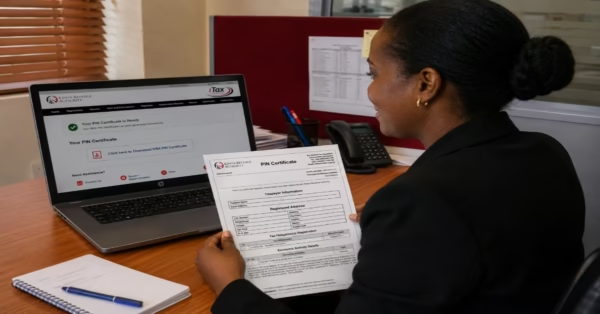
The Social Health Authority (SHA) is Kenya’s new national healthcare system, introduced to replace the National Hospital Insurance Fund (NHIF). The program was created to improve access to affordable healthcare services and support the country’s goal of achieving Universal Health Coverage (UHC). Through SHA, registered members can access a wide range of medical services from approved health facilities across the country, making healthcare services more accessible to individuals and families. Here, we’re providing step-by-step directions on how to register for SHA on your phone through USSD code or online on the Afya Yangu website.
To simplify enrollment, the government allows Kenyans to register for SHA online via the afya yangu website, SHA website or via the USSD code *147#, using any mobile phone. In this guide, you will learn the
- Step-by-step process of registering for SHA using the three main methods, each step-by-step
- The requirements needed,
- Important tips to help you complete the registration successfully.
- Answer most Frequence asked questions by Kenyans.
What Is SHA in Kenya? The Social Health Authority Explained
SHA (Social Health Insurance) is a government healthcare program designed to make medical services more affordable and accessible for all Kenyans. The scheme supports services such as inpatient care, outpatient treatment, prescription medication, and preventive healthcare services.
Who Qualifies to Register for SHA?
Before registering for SHA, applicants must meet a few basic eligibility requirements. The program is open to both individuals and families, making it accessible to many Kenyans and legal residents living in the country. The following are people who are eligible to apply as per Chipuko (2026)
- Be a Kenyan citizen or a legal resident in Kenya.
- Have a valid National ID card or KRA PIN for registration.
- Be of any age, since both individuals and families can register.
- Employed individuals can register through their employers, while self-employed individuals can complete the registration process on their own.
- Vulnerable populations.
Required Documents to Register for SHA in Kenya (2026 Update)
Before starting your SHA registration, gather the required documents and information. The following documents are required for registering SHA.
- National ID or Birth Certificate – Adults are required to provide a valid National ID card, while minors can use a birth certificate during registration.
- KRA PIN – Employed and self-employed individuals may be required to provide their KRA PIN for identification and contribution purposes.
- Passport-Sized Photograph – A recent passport-sized photo may be needed for profile verification and account records.
- Bank Account Details – In some cases, applicants may be asked to provide bank account information for premium payment arrangements or other related transactions.
- Employer Details – Individuals registering through their workplace may need to provide employer information, including the company name and employment details.
Read Also: How to Use the KRA Shuru WhatsApp Chatbot (2026): A Step-by-Step Guide for Kenyan Taxpayers
How to Register for SHA via USSD 147#: Step-by-Step Guide
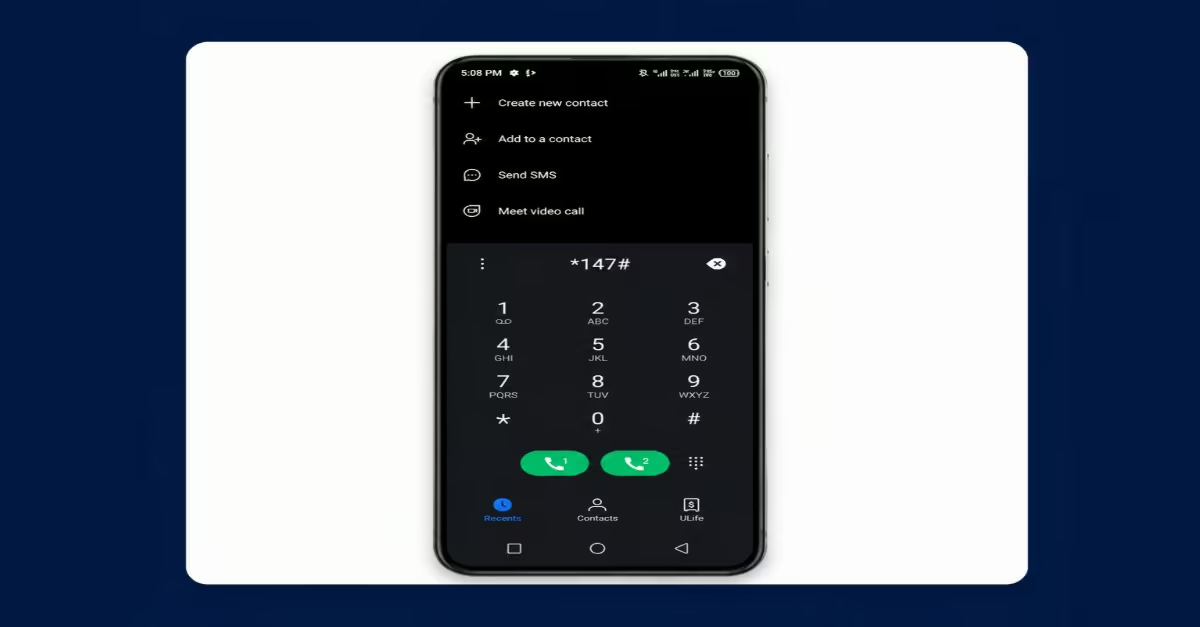
The *147# USSD code is one of the easiest and most dependable ways to complete your SHA registration in Kenya, especially if you have limited internet access or want to register directly from your phone. The service works on Safaricom, Airtel, and Telkom lines, and you do not need a smartphone to use it.
Step 1: Dial the Official SHA USSD Code
- Dial *147# on your mobile phone.
- The SHA registration menu should appear within 5–10 seconds on any Kenyan mobile network.
Step 2: Confirm Your Citizenship Status
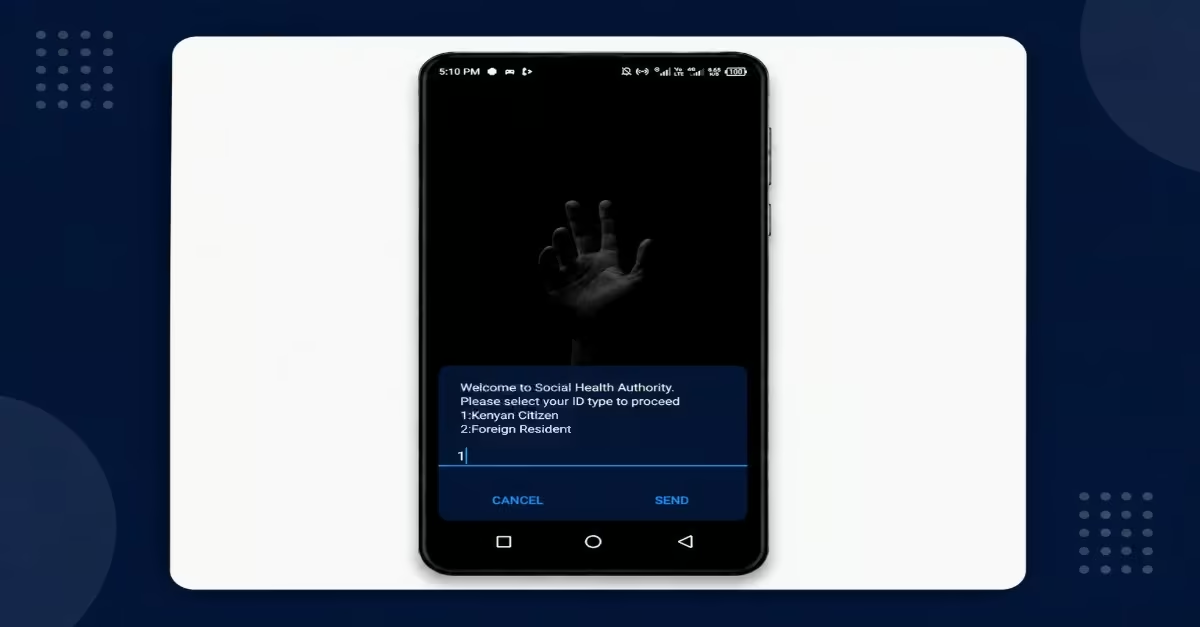
- Select Option 1 if you are a Kenyan citizen.
- Select Option 2 if you are a legal resident or foreigner using an Alien ID or Refugee ID.
Step 3: Enter Your National ID Details
- Provide your National Identification Number when prompted.
- Enter the ID number exactly as it appears on your ID card without adding spaces.
- Make sure the ID number is registered in your name for verification purposes.
- The system will then verify your details through the IPRS database.
Step 4: Create a Secure PIN
- After entering the national ID details, you will be required to create a secure PIN. Create a confidential 4-digit PIN to access SHA services.
- Re-enter the PIN to confirm it matches correctly.
- Avoid using simple PINs such as 1234 or 0000. It is important to keep your PIN private and avoid sharing it with anyone.
Step 5: Declare Your Employment Status
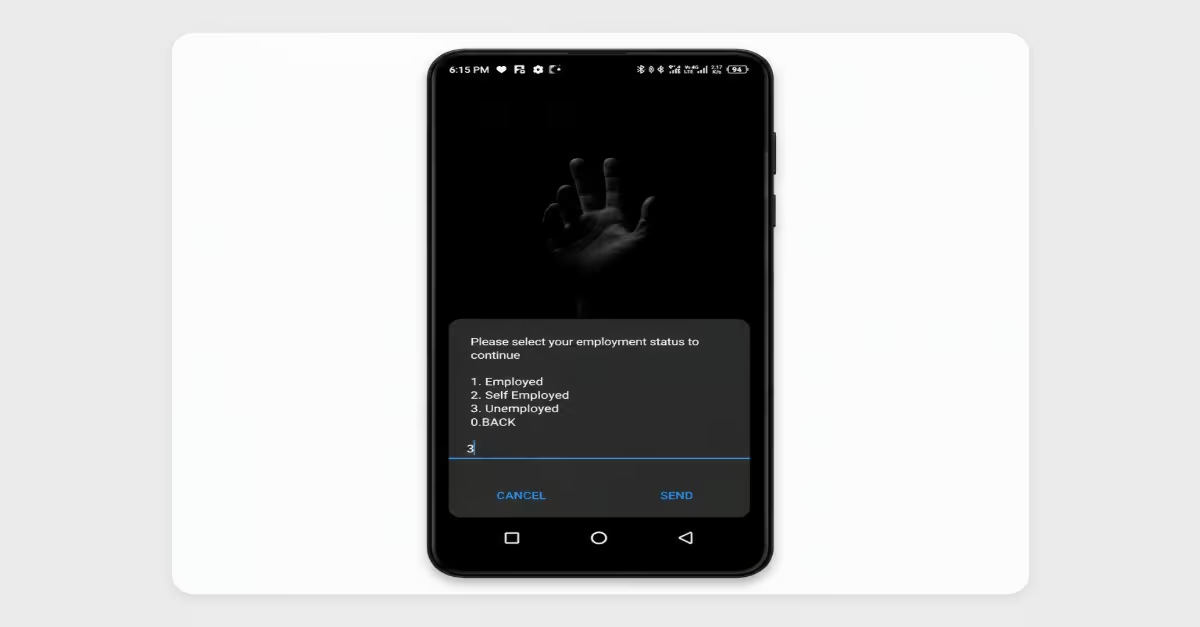
- Select Option 1 for Employed.
- Select Option 2 for Self-employed.
- Select Option 3 for Unemployed.
This information helps determine your SHA contribution structure.
Step 6: Declare Your Civil Status
- Select Option 1 for Single.
- Select Option 2 for Married.
- Select Option 3 for Divorced.
- Select Option 4 for Widow.
- Select Option 6 for Widower.
This information affects your ability to add dependents to your SHA account.
Step 7: Declare Disability Status
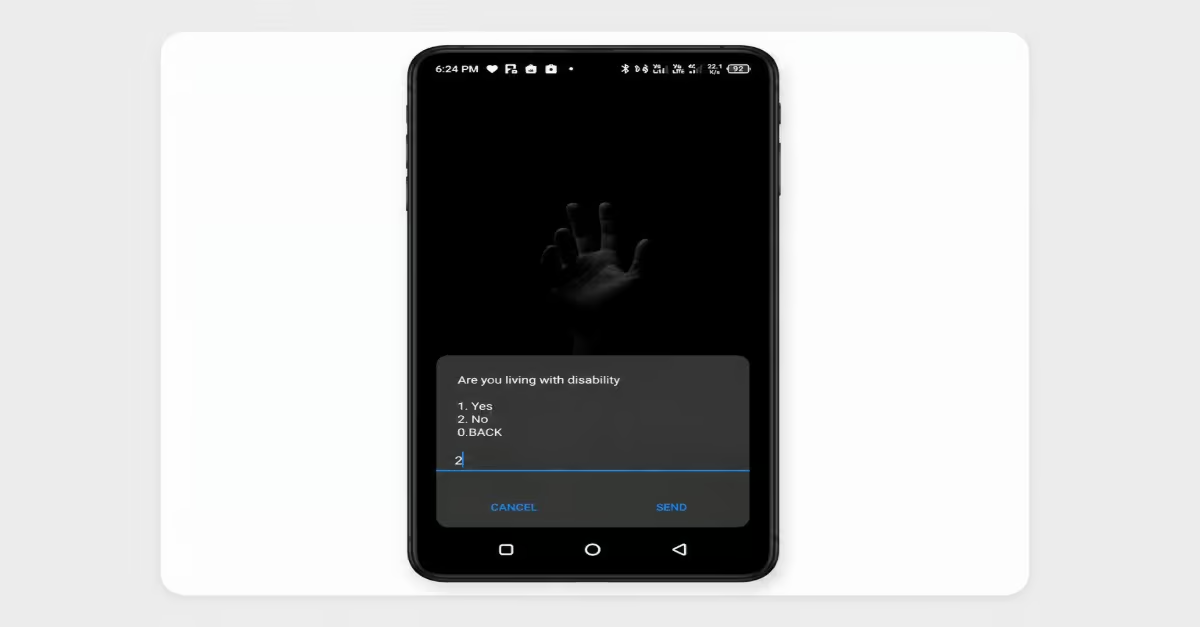
- Select Option 1 for Yes if you are a Person Living with a disability.
- Select Option 2 for No.
This information may affect your contribution rates and related benefits.
Once the registration process is complete, you will receive a confirmation SMS message with your SHA registration details.
How to Register for SHA on Afya Yangu Portal (afyayangu.go.ke)
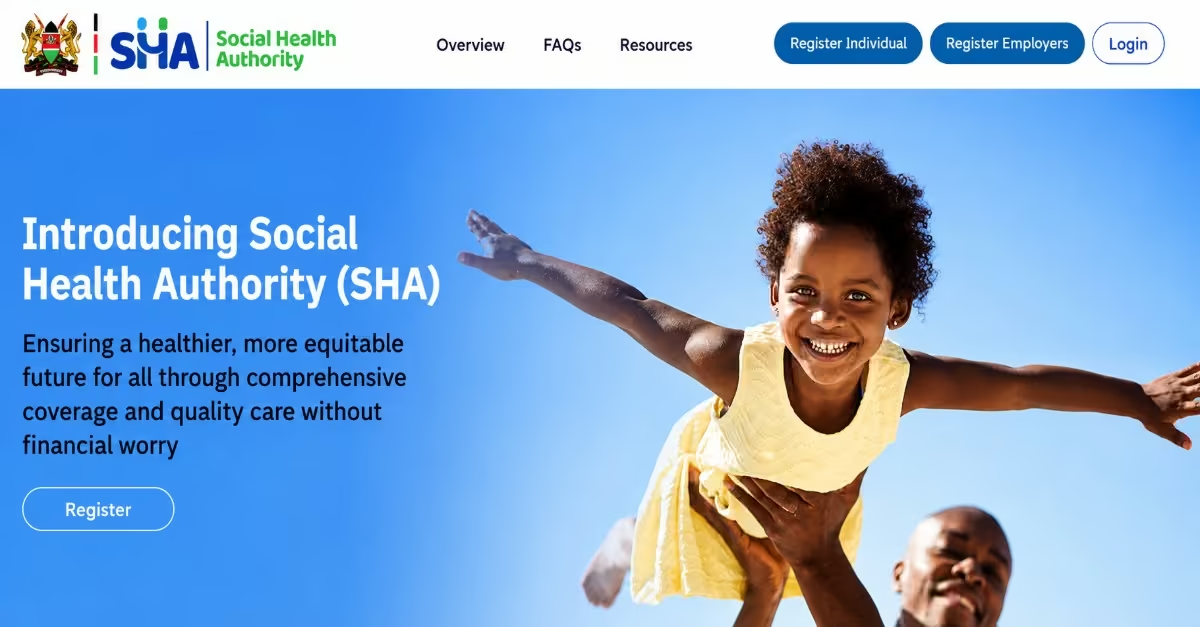
Step 1 — Access the Portal and Register for SHA Process
- Open your browser and go to SHA website
- Click the “Register” button on the homepage. A pop-up will appear; click “Proceed” to continue.
- When prompted, select “Kenyan Citizen” as your registration type.
Step 2 — Enter Your Details and Verify via OTP
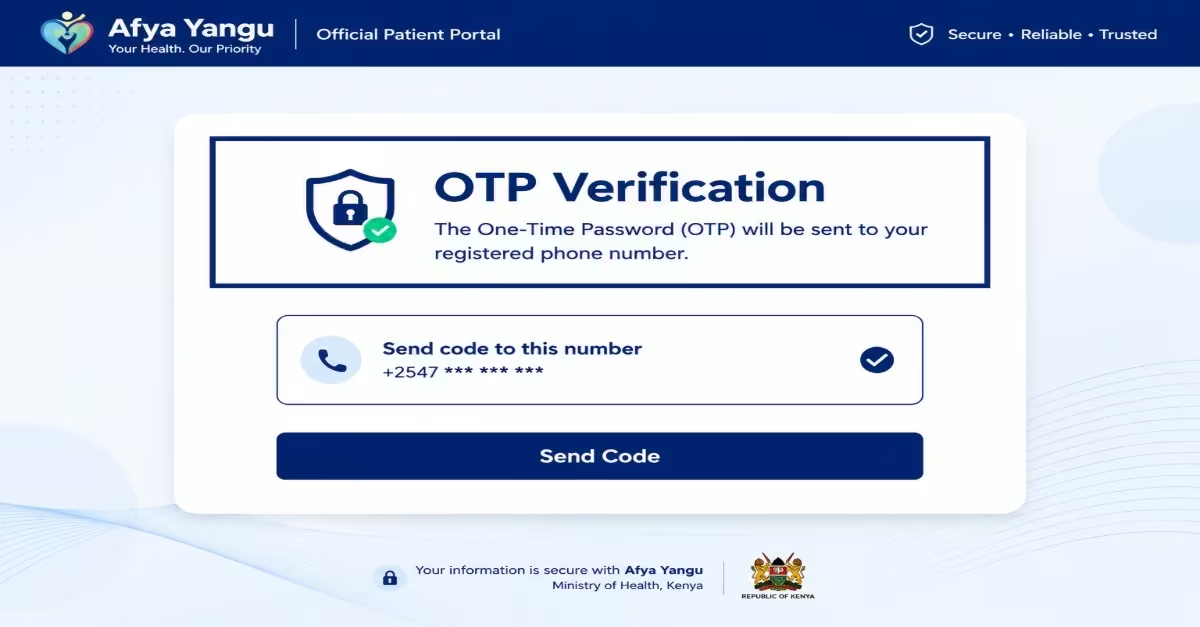
- Enter your phone number, first name, and National ID number in the fields provided.
- Click “Proceed” — an OTP (One-Time Password) will be sent to your phone via SMS.
- Enter the OTP within 5 minutes before it expires. If it does not arrive within 3 minutes, request a new one.
- Do not close or refresh the page while waiting — doing so will reset the session, and you will have to start again.
Step 3 — Accept Terms & Conditions and Create Your PIN
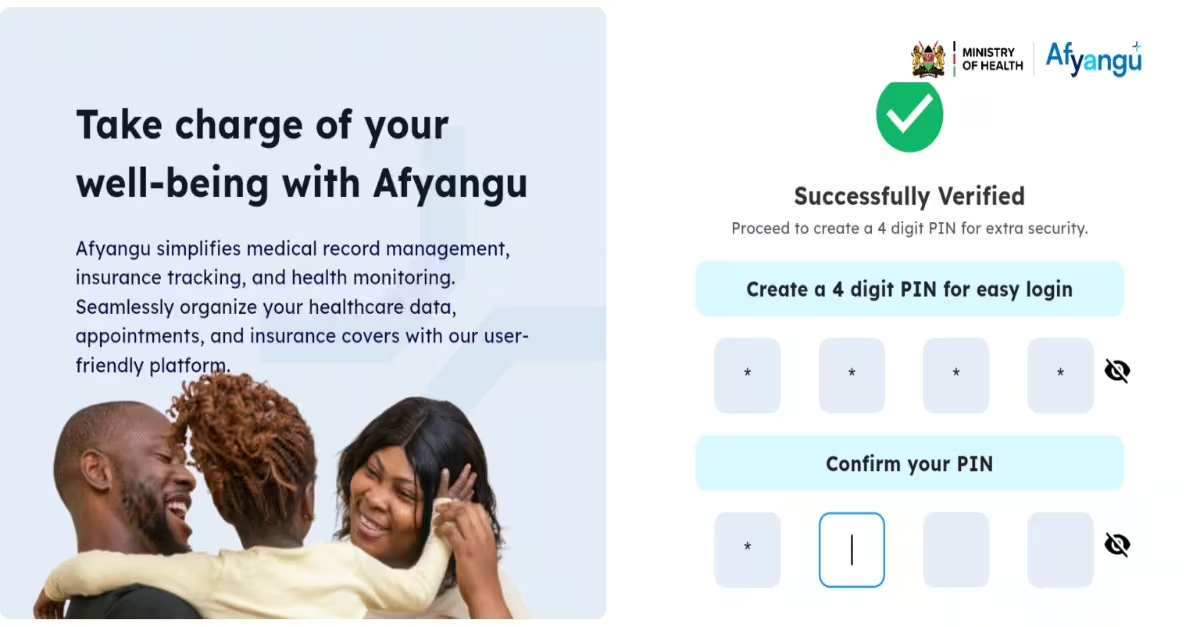
- Read and accept the Terms and Conditions to proceed. You cannot continue without accepting.
- Create a 4-digit PIN, then confirm it by re-entering it. This PIN will be used to log into your account in the future — write it down and keep it safe, as account recovery can take several days if forgotten.
Step 4 — Upload Your Photo
- Upload a clear photo in JPG, JPEG, or PNG format when prompted. This may be a profile photo or an ID image, depending on what the portal requests at this stage.
- Ensure the image is under 2MB and clearly visible. If taking the photo on a phone, use good lighting against a plain background.
- Resize the image if prompted, then confirm by clicking the checkmark button.
Step 5 — Complete Your Personal Profile
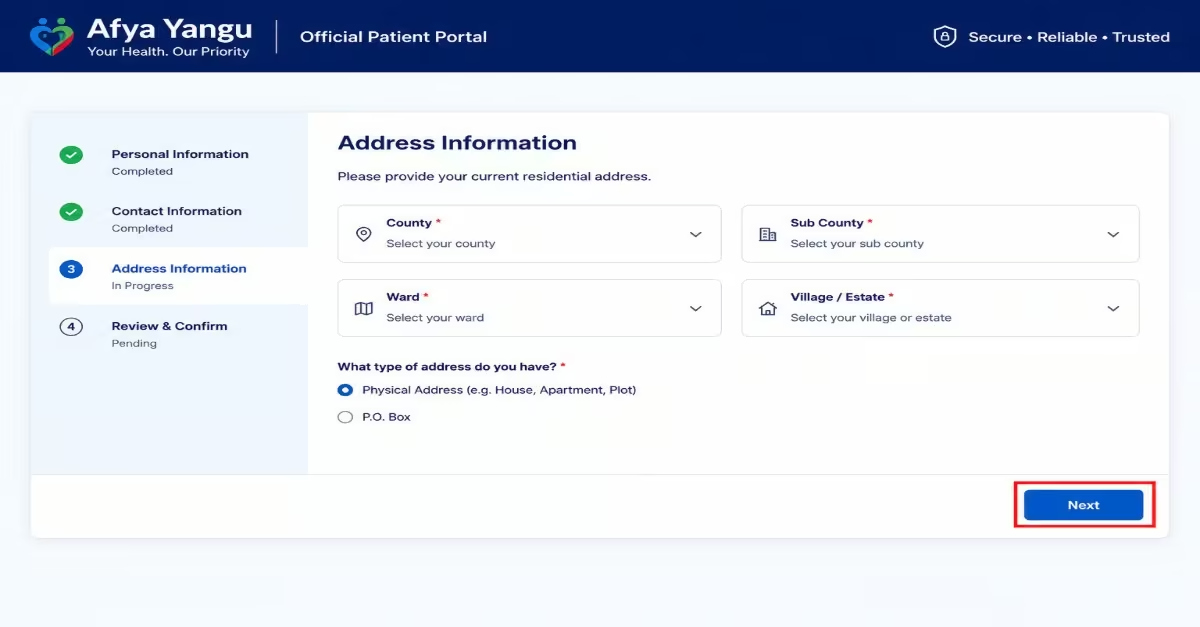
- Indicate whether you are a person living with a disability.
- Fill in your gender, date of birth, and optionally an alternative phone number and email address.
- Select your county from the dropdown first — the sub-county list will only appear after a county is selected, and the ward list after sub-county. Fill these in carefully, as they are used for facility allocation and cannot be changed after submission.
- Select your employment status (Formally Employed, Self-Employed, Unemployed, Student, or Retired) — this determines your contribution category.
Step 6 — Complete Means Testing (If Applicable)
- If you are self-employed, unemployed, or in the informal sector, you will be directed through a short means-testing questionnaire.
- Answer the questions honestly; the results determine your monthly SHA contribution amount. It is strongly recommended that you complete this yourself to avoid unexpected premium amounts.
- Formally employed individuals are exempt from this step, as their employer deducts their contribution (2.75% of gross salary).
Step 7 — Submit and Confirm Registration
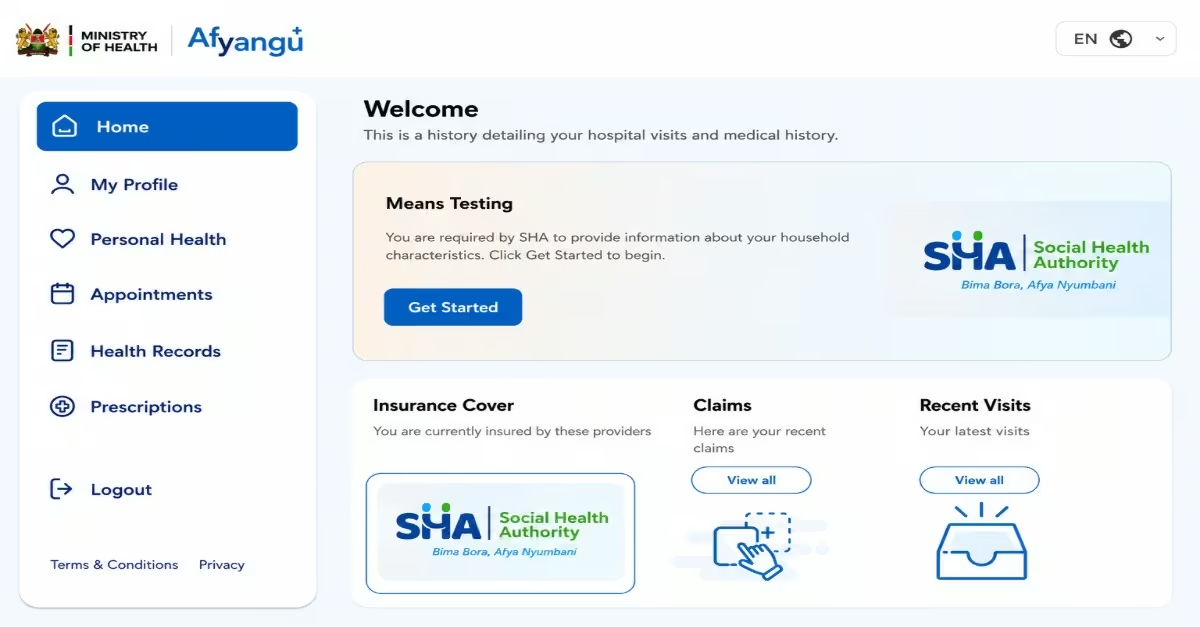
- Review all your details, then click “Submit” to complete registration.
- You should receive a confirmation SMS and/or email within a few minutes.
- If no confirmation arrives, log back in using your National ID and 4-digit PIN and check whether your profile shows an “Active” status. If it does, your registration was successful even if the notification was delayed.
Quick Tip: the process above is the same as ,” How to Register for SHA via sha.go.ke: Step-by-Step Guide” the only one thing that changes is that through SHA website, you will visit this website.
Read Also: How to Apply for a Certificate of Good Conduct in Kenya (2026): Step-by-Step Online Guide
Tips on How to Register for SHA Smoothly
To avoid delays or errors during SHA registration, follow a few simple guidelines. Proper preparation and accurate information will help ensure your application is completed successfully without complications.
- Verify Your Personal Information Carefully
Double-check your details before submitting, including your full name, ID number, phone number, and date of birth. Ensure all information matches the information on your official identification documents to avoid verification issues.
- Use Official SHA Channels Only
Register only through official SHA platforms, approved registration centers, or the *147# USSD code. Avoid unofficial agents or links to prevent fraud or incorrect information.
- Keep Your Registration Details Safe
Save your confirmation message, membership number, or any registration reference details. These details may be required when accessing services or making inquiries in the future.
- Make Contributions on Time
Ensure your SHA contributions are paid regularly and on time.This helps maintain active coverage and uninterrupted access to healthcare services.
- Seek Help When Necessary
If you face technical issues or challenges with your registration, contact SHA support. You can also visit a nearby Huduma Centre or an approved assistance Centre for guidance.
Frequently Asked Questions (FAQs) on How to Register for SHA in Kenya
Is NHIF Still Valid in Kenya?
No. The National Hospital Insurance Fund (NHIF) was officially replaced by the Social Health Authority (SHA) on 1st October 2024. Healthcare contributions and services are now managed under SHA and the Social Health Insurance Fund (SHIF).
Do I Need to Register Again if I Previously had NHIF?
All Kenyans are still required to verify and update their SHA profile by visiting SHA portal or dialing *147#. Most importantly, dependents such as a spouse and children who were listed under your old NHIF account were NOT automatically transferred and must be re-added manually on the SHA portal.
How Much do Kenyans Pay for SHA Every Month?
Employed individuals contribute 2.75% of their gross monthly salary, with a minimum contribution of KSh 300 per month. Self-employed and informal sector workers must first complete a means test, after which SHA determines the amount, they are required to pay.
What is the Difference Between SHA and SHIF?
SHA (Social Health Authority) is the government body responsible for managing Kenya’s public health insurance system. SHIF (Social Health Insurance Fund) is the fund under SHA that manages member contributions and healthcare coverage.
Can Unemployed Kenyans Register for SHA?
Yes. SHA registration is mandatory for all Kenyan residents, including unemployed individuals. During the means testing process, some people may qualify for government-sponsored healthcare assistance.
Does SHA Cover Treatment at Private Hospitals?
Yes, but only at private hospitals and medical facilities accredited by SHA. Patients are encouraged to confirm whether a hospital accepts SHA before seeking treatment.
What Happens if I Fail to Pay SHA Contributions?
Failure to pay SHA contributions on time attracts a 2% penalty on the unpaid amount, which compounds every month until the full balance is cleared. The longer you delay, the higher the total penalty grows. Unpaid or inactive contributions can also affect your ability to access covered healthcare services until all arrears are fully settled. Employers who persistently fail to remit employee contributions face additional consequences, including fines of up to KSh 2 million or imprisonment under the Social Health Insurance Act.
Does SHA Cover Maternity Services?
Yes. SHA covers maternity services such as antenatal care, delivery, and postnatal care. Some maternity services are also offered free of charge at Public Level 2 and Level 3 health facilities under the Primary Healthcare Fund.
How Do I Add Dependents Such As A Spouse And Children?
After registering, log into the Afya Yangu portal or SHA portal and open the Dependants section. You can add a spouse using their National ID details and add children using their birth certificate information.
How Can I Check my SHA Status?
You can check your SHA account status online through the Afya Yangu portal or by dialing *147# on your mobile phone. The system will show whether your account is active, pending, or inactive.
How Can I Contact SHA Customer Support?
SHA customer support is available through the official toll-free helpline 0800 720 601, email support services, Huduma Centres, and the official SHA portal.
Conclusion
To register for SHA is a simple but important step toward accessing affordable and reliable healthcare services in Kenya. There are three main ways to register: USSD *147#, the official SHA website, or the Afya Yangu platforms. By ensuring you have the correct documents, following each step carefully, and providing accurate information, you can complete your registration smoothly without unnecessary delays. Once registered, SHA providesThe Social Health Authority (SHA) is Kenya’s new national healthcare system, introduced to replace the National Hospital Insurance Fund (NHIF). The program was created to improve access to affordable healthcare services and support the country’s goal of achieving Universal Health Coverage (UHC). Through SHA, registered members can access a wide range of medical services from approved health facilities across the country, making healthcare services more accessible to individuals and families.