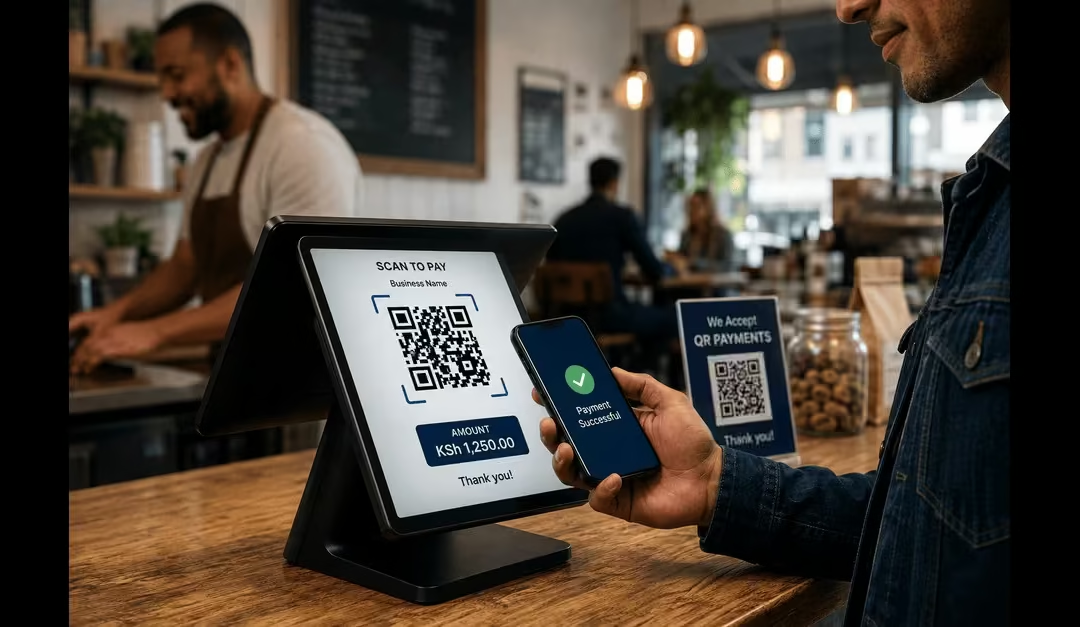
The way people pay for goods and services is changing quickly, and QR code payments are becoming an increasingly common part of this change. Entities like restaurants, retail shops, hospitals, transport businesses, service providers, and even online businesses increasingly use this technology. These entities display QR codes that allow customers to pay using only their smartphones, making transactions faster, easier, and more convenient.
But how does a business actually create a QR code that can receive payments? What information does the QR code contain, and what happens after a customer scans it? Despite the kind of business that you are running, learning what happens behind that quick scan can help you use this technology more effectively.
In this guide, I will explain:
- What QR code payments are
- How businesses generate them
- How the QR payment works
- How customers use them
What Are QR Code Payments?
QR code payments are a type of contactless payment that allows customers to pay for goods or services by scanning a QR code with a smartphone. Instead of manually entering payment information, the customer opens a compatible payment or banking app, scans the QR code, checks the transaction details, and confirms the payment, as per Gayane (2025). This makes the payment process quick and convenient, especially for businesses that want to accept digital payments without requiring customers to use cash.
Inside the QR code is information that tells the payment app where and how to send the money. Depending on the payment system being used, a QR code may contain several types of information that help identify the business and process the payment, which are explained below:
- The Merchant ID – it identifies the business or merchant that should receive the payment.
- The Payment Provider or Gateway ID – it identifies the payment network or provider through which the transaction will be processed.
- Transaction Amount – it shows the amount to be paid. This is optional because some QR codes allow the customer to enter the amount manually after scanning.
- The Invoice or Reference Number – it helps the business identify a particular order or transaction. It makes it easier to match payments with sales records.
Read Also: How to Choose the Best ERP System Software for Your Business
Common QR Payment Methods
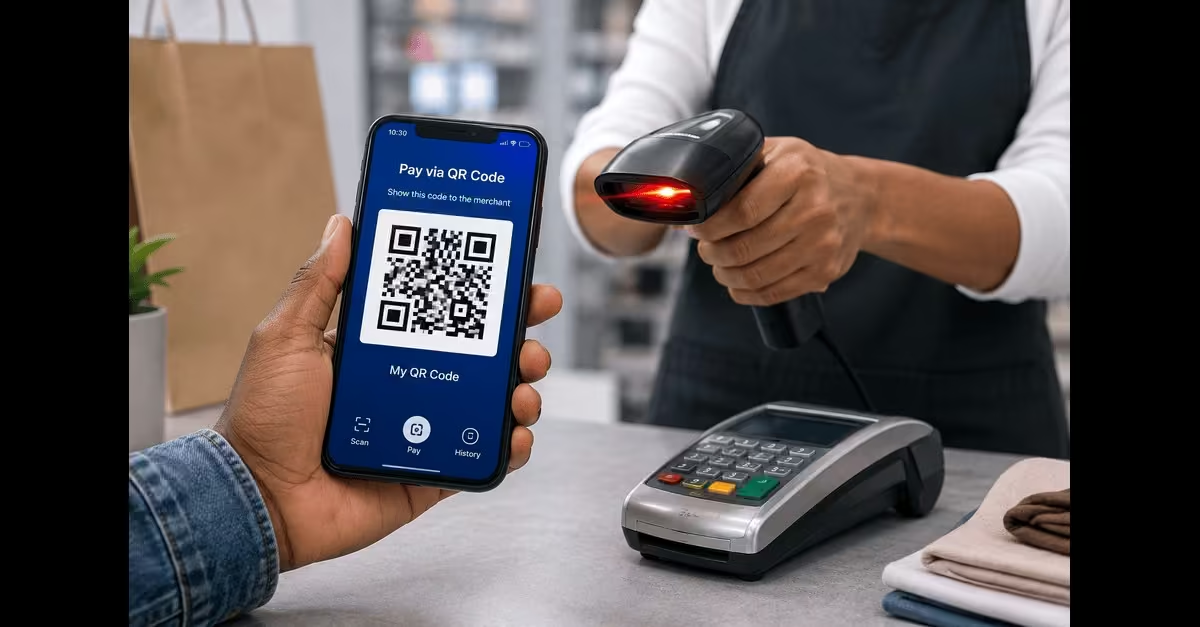
Not all QR payment systems work in the same way. The main difference is who creates the QR code and who scans it. In some cases, the business displays a QR code for customers to scan, while in others, the customer generates a QR code for the merchant to scan. QR codes can also be linked to specific invoices or orders, making them useful for customers who need to make payments remotely. The following are the different ways QR codes can be used to make payments.
a) Scan to Pay (Merchant QR Code)
In this method, the business displays a QR code at the point of sale. The customer opens a compatible banking or payment app, scans the code, enters the amount if it is not already included, and confirms the payment.
This one is commonly used in Retail shops, restaurants, market stalls, delivery services, and other physical businesses.
b) Pay via QR (Customer-Generated QR Code)
With this method, the customer’s payment or banking app generates a personal QR code. The merchant scans the code using a compatible payment terminal or app, and the customer confirms the transaction through their account.
It’s commonly used in Supermarkets, cafés, retail stores, and businesses that use mobile or QR-enabled payment terminals.
c) Payment Links and QR Invoices
A business can also create a QR code specifically for a particular order, invoice, or payment request. The QR code can be added to an invoice, email, online checkout page, digital receipt, or shared through messaging platforms such as WhatsApp.
When the customer scans the code, they are directed to the relevant payment page or payment details, allowing them to complete the transaction remotely.
This is commonly used for online orders, B2B invoices, freelance services, deliveries, and businesses that accept remote payments.
How Do QR Code Payments Work?
A QR code payment may look as simple as pointing a phone at a square pattern and tapping “Pay,” but several steps happen in the background to complete the transaction. The QR code contains machine-readable information that tells the customer’s payment or banking app where and how to process the payment. Depending on the payment system, it may contain details such as the merchant’s identity, payment provider, transaction amount, or a payment link. A study by Stripe (2026) highlights the following steps for making payments via a QR code.
a) The Business Generates a QR Code
The process begins when a business creates a payment QR code through its bank, payment provider, or digital payment platform. The code contains the information needed to identify the merchant and direct the payment to the correct destination. A static QR code can be displayed and used repeatedly, while a dynamic QR code can be created for a specific transaction and may include details such as the amount or invoice number.
b) The Customer Scans the QR Code
At checkout, the customer opens a compatible banking or payment app and uses its QR scanner to scan the code. The smartphone’s camera detects the unique patterns in the QR code. It converts them into digital information that the payment app can read and understand.
c) The Payment Details Are Retrieved
After the code is scanned, the payment app reads the information stored in it. Depending on how the QR code was created, the app may automatically display the merchant’s name, payment amount, reference number, or other transaction details. If the amount was not included in the QR code, the customer may need to enter it manually.
d) The Customer Reviews and Confirms the Payment
The customer checks the displayed payment details to make sure they are correct and then authorizes the transaction. This involves entering a PIN, using a fingerprint or facial recognition, or completing another security step required by the payment provider.
e) The Payment Is Processed
Once the customer authorizes the payment, the payment request is sent through the relevant banking or payment network. The system checks the transaction and, if it is approved, transfers or authorizes the funds to the merchant’s account.
f) Both Parties Receive Confirmation
After the transaction is completed, the customer receives a payment confirmation, while the business receives confirmation through its payment system, app, terminal, or account. The transaction can then be recorded against the relevant order or reference number.
How Businesses Use QR Code Payments Across Industries
QR code payments are not limited to shops and restaurants. Their flexibility allows businesses and organizations across different industries to accept digital payments without necessarily investing in expensive payment terminals.
A QR code can be displayed on a counter, printed on an invoice, added to a ticket, or integrated into a digital platform, allowing customers to pay with their smartphones. According to Raul (2026), the following are the main industries where QR code payments are commonly used.
1. Retail and Hospitality
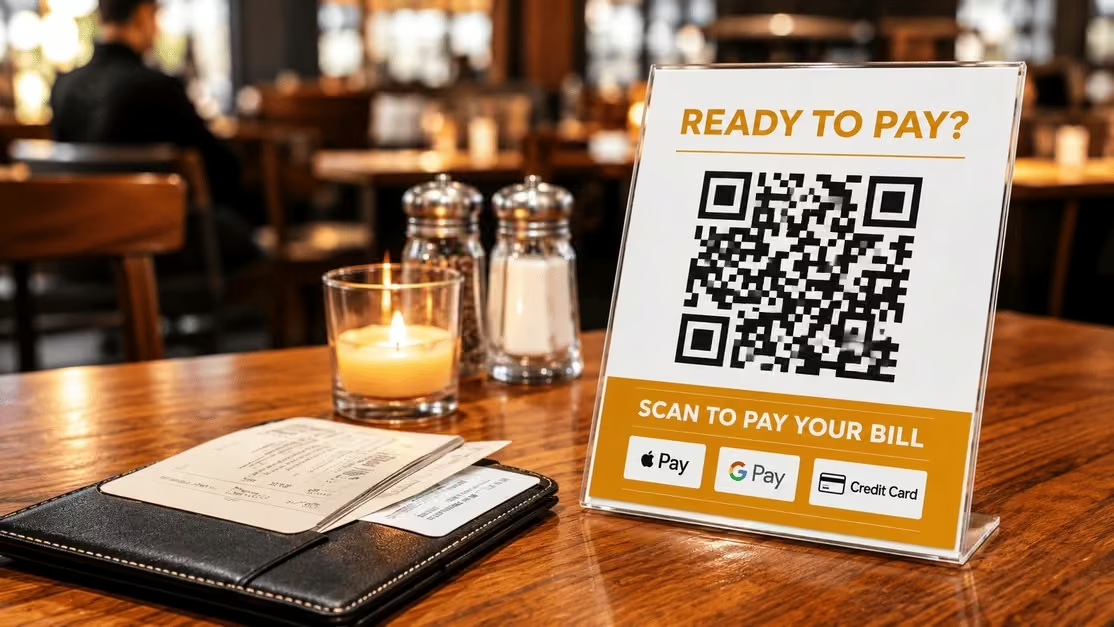
Retail and hospitality businesses such as supermarkets, shops, restaurants, cafés, and hotels can use merchant QR codes to accept digital payments from customers. The business displays a QR code at the checkout counter, on a restaurant table, at the reception desk, or another convenient location. Instead of paying with cash or entering payment details manually, the customer uses a compatible mobile banking or payment app to scan the QR code, review the payment details, enter or confirm the amount where required, and authorize the payment. This provides businesses with a convenient way to receive digital payments directly from customers.
Common applications include:
- Countertop QR displays
- Table-side restaurant payments
- Self-service checkout
- Integration with billing systems
Small businesses may use reusable static QR codes, while larger businesses can use dynamic QR codes that generate transaction-specific payment information.
2. Transportation and Mobility
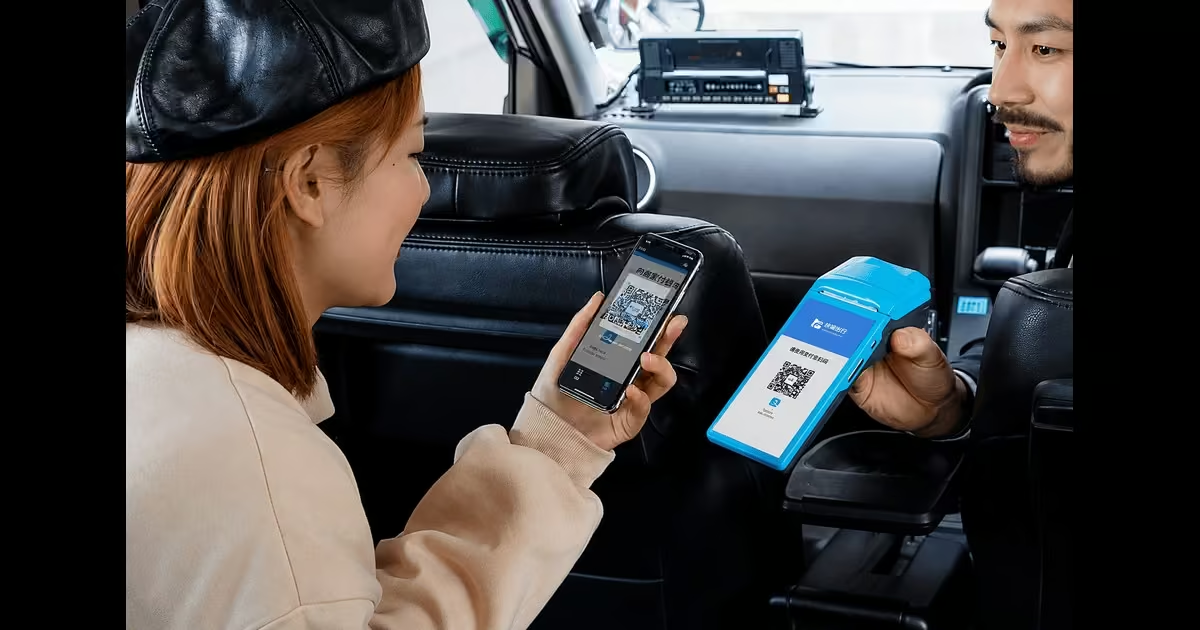
Transportation businesses such as bus operators, matatus, taxis, ride-hailing services, and other mobility providers can use QR payments to collect fares from passengers quickly and conveniently. Instead of depending entirely on cash, a passenger can scan the operator’s QR code using a compatible payment app, enter or confirm the required fare, and authorize the payment. This can make fare collection easier, especially in transport services where many small transactions occur throughout the day and fast payment processing is important.
Typical use cases include:
- Ticket purchases
- Parking payments
- Toll payments
- Ride-hailing and shared mobility services
QR codes can be displayed on ticket machines, printed tickets, mobile applications, or signs, allowing passengers to scan and pay from their banking or mobile wallet applications.
3. Utilities and Bill Payments
Utility providers such as electricity, water, internet, and other service providers can place QR codes on printed bills, digital invoices, or customer portals to make it easier for customers to pay their bills. Instead of manually entering a long account or payment number, customers can scan the QR code with a compatible payment app, review the payment details, and authorize the transaction. This can make bill payments faster, more convenient, and less error-prone than manual entry.
4. Healthcare and Education
Hospitals, clinics, universities, and schools can use QR payments to collect fees from patients, students, parents, and other customers. QR codes can be displayed at reception desks, payment counters, on invoices, or within digital portals, allowing users to scan the code with a compatible payment app, review the payment details, and authorize the transaction. This can simplify collecting medical bills, consultation fees, school fees, tuition payments, and other charges, especially where institutions handle many payments across different departments or locations.
Common scenarios include:
- Registration and consultation fees
- Pharmacy payments
- Tuition and school fees
- Examination and administrative fees
A QR code can be printed on an invoice or displayed at a service desk, allowing the payer to complete the transaction using a compatible mobile payment application.
5. E-Commerce and Remote Payments
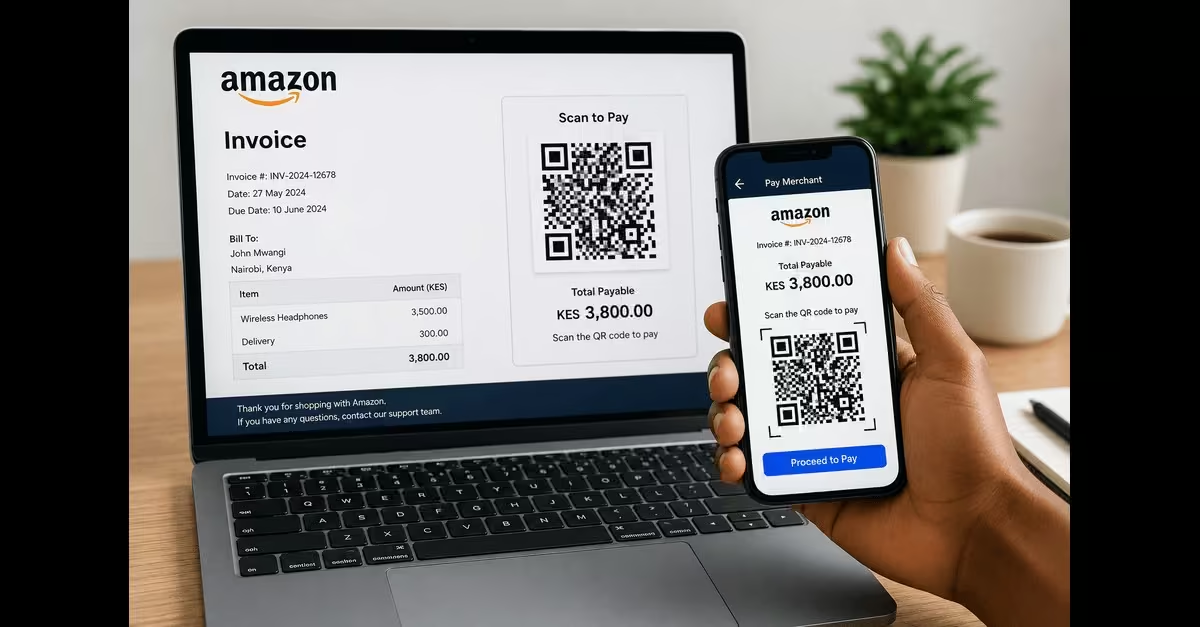
QR codes can also be used for online and remote payments, even when the customer and business are not physically in the same location. For instance, an online seller can display a payment QR code on a website, digital invoice, email, social media post, or messaging platform. The customer can scan the code using a compatible payment app on another device, review the payment details, and authorize the transaction. This can be useful when customers need to make payments remotely without manually entering all of the merchant’s payment details.
Common applications include:
- Online order payments
- Invoice payments
- Business-to-business transactions
- Subscription payments
For example, a business can send a customer an invoice containing a QR code. The customer can scan it and proceed to the relevant payment page using a smartphone.
6. Events and High-Traffic Locations
Events and large venues such as concerts, sports events, exhibitions, conferences, festivals, and entertainment centers can use QR payments to process large numbers of transactions quickly. Organizers or vendors can display QR codes at entrances, food and merchandise stalls, ticketing points, or other payment counters, allowing attendees to scan and pay using a compatible payment app. This is especially useful in busy environments where many people need to pay quickly.
Use cases include:
- Concerts and festivals
- Sports stadiums
- Exhibition centers
- Airports and transport hubs
For example, vendors at an event can display QR codes at their stalls, allowing attendees to pay directly from their phones without relying entirely on cash or individual card terminals.
Benefits of QR Code Payments
QR code payments offer several advantages that make them useful for both businesses and customers. By allowing transactions to start with a simple scan, they make payments more convenient while reducing some of the costs and challenges linked to traditional payment methods. The following are the key benefits.
- Contactless Payments – QR codes allow customers to pay without handling cash or handing over a card. This provides a convenient contactless payment experience, especially in busy environments such as shops, restaurants, and service businesses.
- Speed and Convenience – A customer can scan a QR code, review the payment details, and authorize the transaction in just a few steps. This reduces the time needed to enter account or payment information manually and makes checkout more convenient.
- Enhanced Security – QR payments can benefit from the security features provided by the underlying banking or payment platform, including authentication, encryption, and tokenization where supported. Customers also don’t necessarily need to hand over their cards or share card details with the merchant during the transaction.
- Versatility-QR codes can be used in different payment situations. Businesses can display them in physical stores, include them on invoices, add them to online checkout pages, or share them digitally with customers. This makes them useful for retail purchases, service payments, online orders, donations, and other types of transactions.
- Reduced Paper Use-Digital payments can reduce the need for printed payment instructions, receipts, and other transaction paperwork, especially when businesses use digital invoices and electronic receipts. This can help businesses move toward more paperless payment processes.
How to Generate and Accept QR Code Payments for Businesses
Setting up QR code payments does not necessarily require complicated equipment or technical expertise. In most cases, a business needs a suitable payment provider, a merchant account, and a QR code linked to its payment details. A study by Jeanne (2025) outlines the following steps to generate a QR code payment for your business.
1. Choose a Payment Service Provider
Start by selecting a reputable bank, mobile money provider, or payment service provider that supports QR code payments. At this stage, consider factors like transaction fees, supported payment methods, settlement times, security features, and whether the provider offers static or dynamic QR codes.
2. Set Up a Merchant Account
Register your business with the selected payment provider and provide the required business and banking information. Once approved, the provider will link your merchant account to the payment system so that payments received through the QR code can be properly identified and settled.
3. Generate Your QR Code
Use the provider’s merchant portal, mobile application, or API to generate a payment QR code. Depending on the system, you may be able to create a static QR code that can be reused or a dynamic QR code generated for a specific transaction, amount, or invoice.
4. Display or Share the QR Code
Place the QR code where customers can easily access it. A physical business can display it at the checkout counter, while an online business can add it to invoices, order confirmations, websites, or digital messages. Make sure the code is clear, unobstructed, and large enough to scan easily.
5. Accept and Confirm Payments
When a customer scans the QR code, their banking or payment app retrieves the relevant payment information. The customer reviews the details, enters the amount if necessary, and authorizes the transaction using the required authentication method.
6. Receive Payment Confirmation
After the payment is successfully processed, the merchant receives confirmation through the payment provider’s app, dashboard, SMS, email, or another notification channel, depending on the provider. The funds are then settled into the merchant’s linked account according to the provider’s settlement terms.
Challenges and Limitations of QR Code Payments
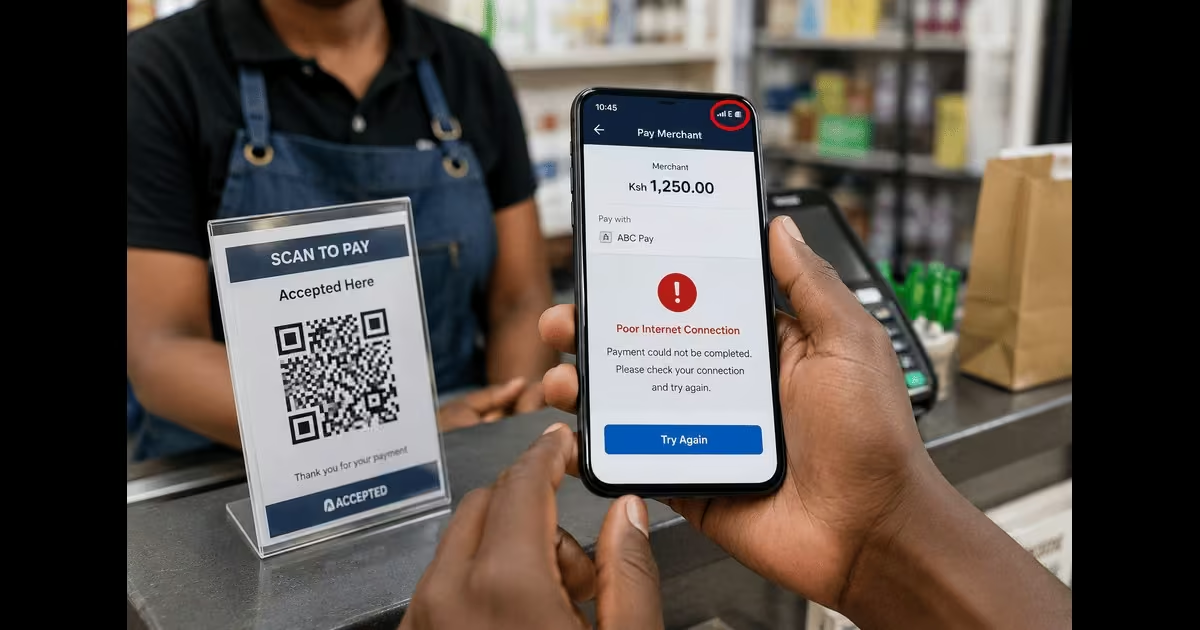
Although QR code payments give businesses and customers a convenient way to make digital transactions, they also have some limitations. Factors such as network availability, security risks, compatibility, and the way payment providers handle disputed transactions can affect the payment experience. Here are some of the challenges you are likely to encounter when using the QR code payment method.
a) Dependence on Network Connectivity
Many QR payment transactions require an internet or mobile data connection to communicate with the payment provider and confirm the transaction. In areas with poor or unstable network coverage, a payment may be delayed or fail.
b) Risk of QR Code Fraud
Fraudsters can create or place fake QR codes over legitimate ones, redirecting customers to unauthorized payment accounts or harmful websites. Customers should therefore check the merchant’s name and payment details shown by their payment app before confirming a transaction.
c) Limited Acceptance
QR payment acceptance can vary by country, bank, payment provider, and merchant. A QR code that works with one payment application may not necessarily work with another. As a result, customers may still need alternative payment methods such as cash, cards, or mobile money.
d) Refunds and Disputed Transactions
A completed QR payment does not necessarily mean that a refund will happen automatically. If a customer enters the wrong amount or pays the wrong merchant, recovering the money may depend on the merchant’s and payment provider’s refund or dispute procedures. This process may take additional time.
e) Smartphone and App Dependence
QR payments generally require a compatible smartphone, camera, and supported banking or payment application. Customers without access to these tools may be unable to use this payment method, which can limit its accessibility in some situations.
Read Also: Embedded Finance Explained: The Future of Digital Transactions & Fintech Innovation
Conclusion
QR code payments have transformed the way businesses and customers approach everyday transactions by making digital payments faster, simpler, and more accessible. This technology is used across different industries, including e-commerce entities, transport businesses, supermarkets, retail, and hospitality businesses. A simple scan connects customers directly to a secure payment process without lengthy manual entries or complex equipment. By using QR code technology, an entity can achieve benefits like faster, more convenient payments; the method can be used in various payment situations; it reduces paper use; and it’s a secure payment method. Despite these benefits, businesses using this technology can still face challenges such as network connectivity issues, fraud risks, compatibility, limited acceptance, and difficulty refunding customers if they make payment mistakes. As digital payment adoption continues to grow, QR codes are likely to remain an important tool for businesses looking for a convenient and flexible way to accept payments.