Financial management has always been a crucial aspect of running a business. Regardless of the size of the business, the ability to track income, expenses, and profitability determines whether a business thrives or struggles at any stage of its growth. Traditionally, accounting was a manual process that required enterprises to keep paper records and use spreadsheets, consuming a lot of time and effort. Later, desktop accounting software made things easier, leading to enhanced efficiency and making it easy to track the finances of your business.
Today, cloud accounting has changed the game. Using the internet, businesses can now record and access financial information anytime and from anywhere. It helps automate daily accounting tasks, keeps records up to date, and makes it easier for business owners to work with their accountants, auditors, and other partners.
In this article, we’ll look at how cloud accounting makes financial management more straightforward and more efficient. We’ll cover the main benefits it offers, the features of a cloud accounting software, its main functions in a business, and the challenges companies might face while using it.
Understanding Cloud Accounting and How It Works
Cloud accounting is a modern way of managing a business’s financial records using software that runs over the internet. This utilizes internet-based software to record, store, and manage a company’s financial information. Instead of installing programs on office computers, the software and data are hosted on remote servers known as the “cloud”. They can be accessed online, unlike traditional accounting software that’s installed on a specific computer, as noted by Daniel (2021). This means that business owners, accountants, and managers can log in from any device, whether a computer, tablet, or smartphone, as long as they have an internet connection and can access the financial records of the business.
Cloud accounting systems usually operate on what is known as the Software-as-a-Service (SaaS) model. In this model, the accounting software is hosted and managed by a service provider on remote servers, rather than being installed directly on a company’s computers. Businesses access the software online, typically through a web browser or a mobile application, by paying a monthly or annual subscription fee. The service provider handles system updates, data backups, and security, thereby freeing businesses from technical maintenance work.
Read Also: Data-Driven Decision-Making for Businesses
Top Features of Cloud Accounting Software

Cloud accounting platforms come with a range of features that make managing business finances more straightforward and more efficient. These tools are designed to save time, improve accuracy, and give business owners better control over their financial operations. A business owner must consider the following features when selecting a cloud accounting software.
- Real-Time Access – One of the most significant advantages of cloud accounting is the ability to access financial data anytime and from any device with an internet connection. This means business owners can check their company’s financial position on the go, ensuring they always have the latest information to make informed decisions.
- Automation – A Cloud accounting software should be able to automate many routine tasks such as invoicing, payroll processing, and bank reconciliations. This reduces manual work, minimizes errors, and allows staff to focus more on business growth rather than repetitive accounting duties.
- Integration -These platforms easily connect with other business tools like Customer Relationship Management systems, inventory management software, and online payment services such as M-Pesa, PayPal, or Stripe.
- Scalability -As a business grows, its accounting needs also expand. A good Cloud accounting software should be able to scale up or down according to a business’s needs, adapting with minimal costs. In this situation, cloud accounting software should allow businesses to add new features, users, or storage space without the need for expensive upgrades, paying only for what they use.
Core Functions of Cloud Accounting
Cloud accounting brings together all the essential tasks needed to manage a company’s finances in one convenient platform. This makes it easy for business owners and accountants to handle daily financial activities quickly and accurately, without needing deep accounting knowledge. A study by Blaise (2025) highlights the following functions that cloud accounting software can help a business with.
A. General Ledger
A ledger is a crucial source document that is used in any accounting system. It acts as the master record that summarizes all financial transactions, including sales, purchases, payments, and receipts. In cloud accounting, every transaction entered, such as recording a sale or paying a bill, automatically updates the relevant ledgers in real time.
This automation ensures that financial data is always current and eliminates the need for manual data entry. The ledger categorizes entries into standard accounting accounts such as assets, liabilities, income, and expenses, which form the basis for preparing accurate financial reports like the balance sheet and income statement.
B. Invoicing
Invoices are official documents that request payment for goods or services provided. Invoicing in a business refers to the process of creating and sending invoices. Cloud accounting software allows companies to create and send invoices digitally. This not only saves time but also reduces errors. It can automatically record payments when customers pay, send reminders for overdue bills, and keep all invoices safely stored for future reference.
C. Management of Accounts Payable and Receivable
In a business, accounts receivable and payable manage the flow of money in and out of the company. Accounts Payable represents the obligations or money a business owes to others, known as creditors, for instance, money owed to suppliers or contractors. Cloud accounting facilitates the management of creditors by making it easier to record bills, schedule payments, and avoid late fees through automated reminders.
Accounts Receivable refers to the money that customers owe the business. With cloud accounting, managing these customers has been made easy and effective, in that invoices can be linked directly to customer records, allowing users to monitor which payments are pending or overdue and follow up promptly. This management of creditors and debtors has been simplified due to cloud accounting.
D. Expense Tracking
This feature helps businesses record daily expenses from office supplies to travel costs. Many systems even allow users to upload photos of receipts directly from their phones. Keeping expenses organized makes it easier to monitor spending and control budgets.
E. Bank Reconciliation
Bank reconciliation is the process of matching the transactions recorded in the accounting system with those listed on the company’s bank statement. It ensures that all income and expenses are correctly accounted for and that there are no errors or missing entries. Cloud accounting systems simplify this process by automatically importing bank transactions through secure connections. The software then highlights any discrepancies, such as missing receipts or duplicate entries, and allows users to fix them quickly. This real-time integration helps maintain accurate and up-to-date financial records.
F. Financial Reporting and Tax Compliance
Cloud accounting can generate key financial reports, including profit and loss statements, balance sheets, and cash flow summaries. It also helps businesses prepare for taxes by organizing records and calculations in line with tax requirements, reducing stress during tax season and at the end of a financial year.
Benefits of Cloud Accounting for Businesses
Cloud accounting has become a game-changer for modern businesses by making financial management faster, more accurate, and easier to handle. Unlike traditional systems that rely on manual data entry and single-computer setups, cloud-based solutions offer business owners the Flexibility to manage finances anywhere, anytime. A study done by Rebeca (2025) highlights the following benefits.
A. Cost Efficiency and Resource Optimization
One of the primary reasons businesses adopt cloud accounting is to achieve cost savings. Traditional accounting software often required large upfront payments, servers, and ongoing maintenance costs. In contrast, cloud accounting operates on a simple subscription model, where businesses pay a monthly or yearly fee that covers updates, data storage, and customer support. This turns significant one-time expenses into smaller, manageable operational costs.
B. Always Up-to-Date Software
The advantage of cloud accounting is that the software is automatically updated. Since it runs online, users consistently access the latest version without needing to install upgrades manually. Cloud providers regularly update the system to reflect new tax rates, accounting standards, and improved features. This ensures businesses stay compliant and benefit from new functionalities every time they log in.
C. Automation of Accounting Tasks
Cloud accounting also reduces manual work through automation. The system can automatically import bank and credit card transactions, generate recurring invoices, post entries to the correct accounts, and schedule reports. It can also automatically calculate taxes and discounts, detect mismatched invoices, and handle international tax rules for global transactions. These features save time, minimize human error, and allow accountants to focus more on analysis and decision-making.
D. Real-Time Collaboration and Decision-Making
Traditional accounting often involved delays, with financial reports shared only after weeks of manual work. Cloud accounting eliminates this issue by enabling multiple users to work simultaneously on the same system. Accountants, auditors, and managers can view updated financial data instantly and make faster, more informed decisions.
E. Data Security in Cloud Accounting
Data security is a common concern for many businesses, but cloud accounting often provides stronger protection than traditional systems. Cloud providers use several layers of security, including data encryption and strict access controls, to ensure that only authorized users can view or edit financial information. They also perform automatic backups, protecting your records from loss or damage. Even if a computer is stolen or an office suffers fire or flood damage, your data remains safe because it is stored securely online.
F. Scalability and Flexibility for Businesses
Cloud accounting systems can easily grow with the business. For instance, Startups can begin with basic features like invoicing, then add more tools such as payroll or inventory management as they expand. Seasonal businesses can also scale down during slower months, paying only for what they need. This Flexibility is particularly valuable for businesses in Kenya, where business activity often fluctuates due to agricultural cycles or market conditions.
Read Also: Understanding Credit Interest, Fees, and Repayment Terms
Best Cloud Accounting Software for Businesses
Today’s market offers a variety of cloud accounting software designed to make financial management easier for businesses of all sizes. These tools help automate tasks, improve accuracy, and provide real-time access to financial data. However, with so many options available, it’s crucial to choose a solution that fits your business’s size, budget, and specific needs. Research done by Dan (2025) highlights the software below.
A. QuickBooks Online
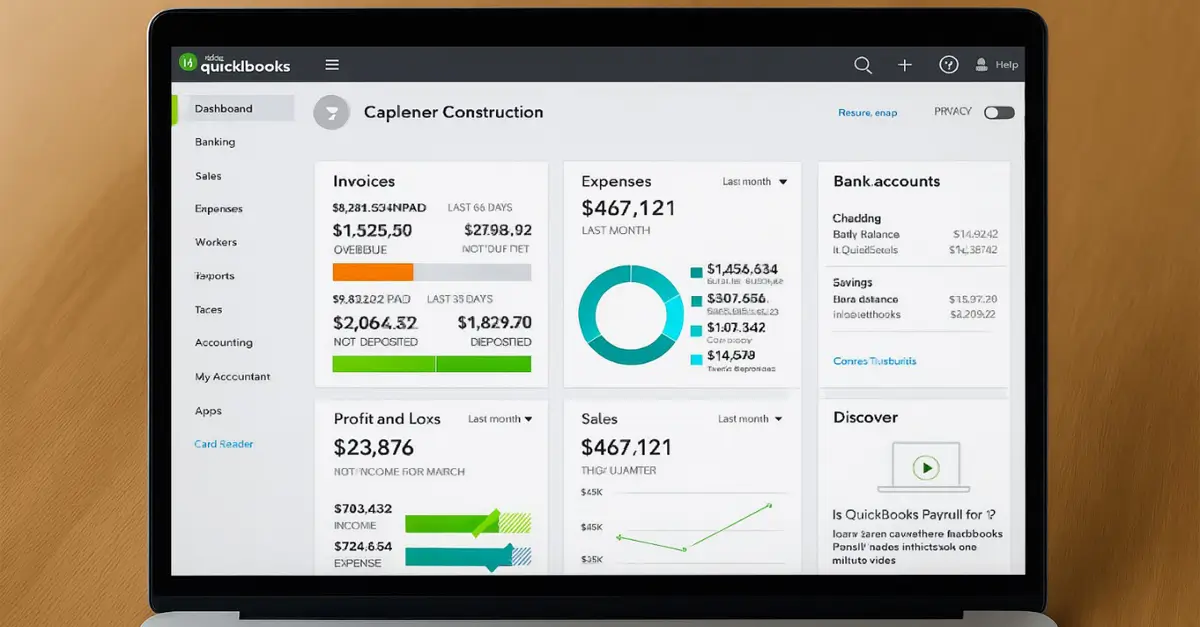
QuickBooks Online is designed for small to medium-sized businesses that want a simple yet powerful accounting tool. It’s known for its user-friendly interface and strong integrations with other business apps. The platform makes invoicing and expense tracking quick and straightforward, helping business owners stay on top of their finances with minimal effort.
B. Zoho Books
Zoho Books is best suited for startups and small businesses seeking affordable accounting solutions. Despite its low cost, it offers essential features like invoicing, reporting, and expense management, giving small businesses a professional financial management tool without high subscription fees.
C. Xero
Xero also caters to small and medium businesses. It offers unlimited user access, thus a significant advantage for teams that need to work together. Its cloud-based setup ensures that everyone, from the accountant to the manager, can log in and see updated financial data without extra subscription costs.
D. Sage Business Cloud
Sage Business Cloud is ideal for solo traders and small to medium enterprises. It’s built to meet government tax requirements, making it a reliable choice for businesses that need to stay compliant with taxation requirements. This ensures smooth tax filing and accurate record-keeping.
E. NetSuite ERP
NetSuite ERP serves large enterprises that require advanced accounting tools and the ability to scale. Beyond standard accounting, it includes enterprise resource planning (ERP) features that connect finance with other parts of the business, such as inventory and operations. This makes it ideal for companies planning long-term growth and system integration.
Limitations of Cloud Accounting Every Business Should Know

Despite the positive advantages of cloud accounting, it also comes with particular challenges that businesses need to understand before adopting it. Being aware of these factors helps organizations plan and make informed decisions when using cloud accounting software.
I. Internet Connectivity
Since cloud accounting relies on online access, a stable internet connection is essential. Businesses in rural or remote areas with unreliable connectivity may experience delays or interruptions when using these platforms; thus, before a business considers using cloud accounting, it must have a stable internet connection.
II. Data Privacy
Financial data is highly sensitive, so it’s important to choose service providers that follow strict data protection standards. In this case, businesses should ensure that their provider complies with both local and international privacy laws to keep information secure, thereby avoiding unnecessary breaches of business data and unauthorized access.
III. Vendor Lock-In
Vendor lock-in refers to becoming overly dependent on a single service provider, specifically a cloud accounting software, which can make it difficult or costly to switch to another provider later. This occurs when a company consolidates all its financial data, settings, and processes into a single system, which uses proprietary formats or features that are not easily transferable to another platform.
Switching from one cloud accounting provider to another, then, can be difficult in this case. This can make businesses dependent on a single vendor, so it’s important to review contract terms and export options before signing up.
IV. Training and Adaptation
Introducing new software often requires time for staff to learn how to use it effectively. In this case, when you need to use cloud accounting software in your business, you must provide proper training and support to ensure a smoother transition and help employees take full advantage of the system’s features.
Conclusion
Cloud accounting has transformed how businesses manage their finances by making financial data more accessible, secure, and efficient. A business that has leveraged cloud accounting, it enjoys the benefits like real time collaboration, protection of the business data, high level of efficiency, reduction of costs and automation of tasks. as a business owner who is looking forward to start using cloud accounting to the business you must consider features like, the ability to access remotely the business financial data, ability to automate tasks, easy to adapt to the needs of the business and ability to integrate to the needs of the business like payment methods. While using this Cloud accounting software, they have many limitations which you should understand before using the software, they have demerits like, a business needs to have stable internet connection for it to use cloud accounting, you must train your employees before they start using the software, some cloud servers may fail to protect sensitive business data thus you need to be careful and intricate of changing from one cloud accounting software to another. Embracing this technology will be a key strategy for easy financial management, thus a business success.