Thousands of Kenyan graduates are often unsure about how much they owe on HELB loans or even where to begin with repayment. After leaving campus, adjusting to the job market can feel overwhelming, and without clear guidance, many borrowers postpone checking their loan status—something that can lead to penalties and added stress over time.
Once you graduate, it becomes your responsibility to monitor and repay the loan that you were given while you were in college or university.
In this guide, you will learn step by step how to:
- Check your HELB loan balance using the available methods.
- How to make payments using the different options available in Kenya.
- How to apply for a certificate of clearance using the HELB online portal.
Penalties for Non-Repayment
Repaying your HELB loan is not optional; it is a legal requirement under the HELB Act. After graduation, repayment usually starts within a set period, and failure to repay can lead to serious consequences, which include:
- A monthly penalty of KSh 5,000 is charged for every missed payment, increasing the total amount you owe over time.
- Being listed in Credit Reference Bureaus (CRB), which can limit your access to bank loans, mortgages, SACCO services, and mobile credit facilities
- Difficulty securing public sector employment, as many employers in Kenya now require a Higher Education Loans Board compliance certificate before offering a job
- Interest and penalties continue to build up over time, increasing the total amount you owe.
Requirements Before Checking HELB Loan Balance
- Your National ID number
- HELB account login credentials
- Active phone number linked to your HELB account
- Stable internet connection (for online methods)
Read Also: How to Apply for a Certificate of Good Conduct in Kenya (2026): Step-by-Step Online Guide
How to Check HELB Loan Balance on the Loanee Portal
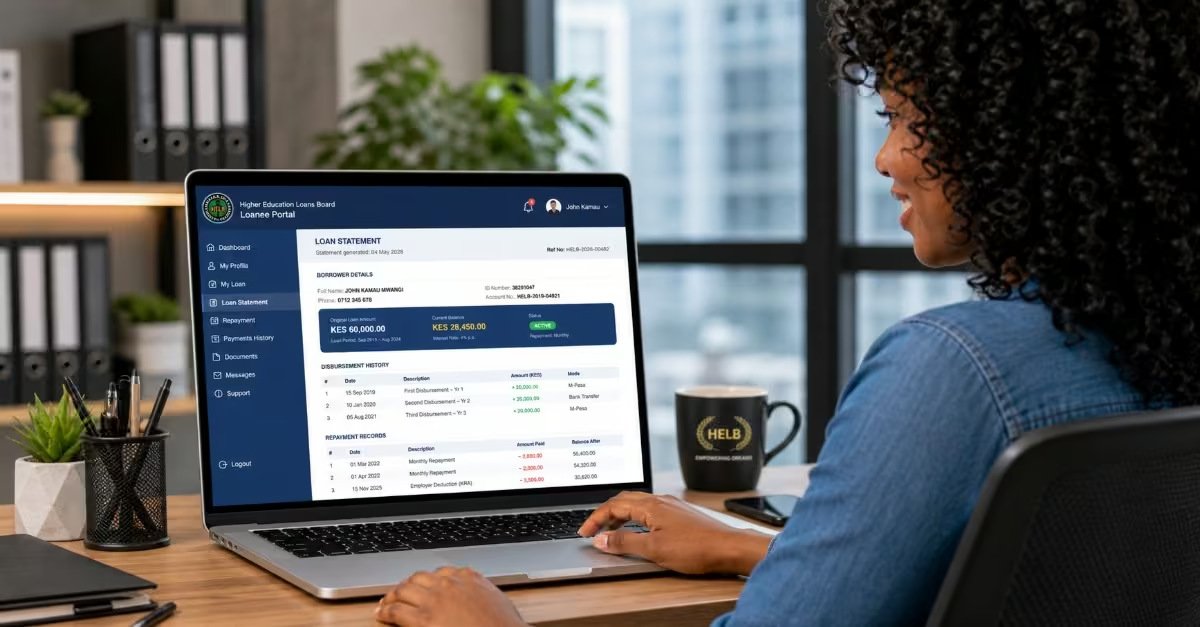
The HELB Loanee Portal is the most reliable and detailed way to check your loan balance. It provides a clear breakdown of your principal amount, interest, any penalties, and your full repayment history. By using the Higher Education Loans Board portal, you can easily understand your current loan status in one place. A study by Wiltord (2025) highlights the following step-by-step procedure on how to check Helb loan balance via the Loanee portal in Kenya.
- Open your browser and visit the official HELB Loanee Portal
- Returning users: You will be required to log in using your registered email address or ID number and password, then click “Sign In.”
- New users: Click “Register” and enter your National ID number, email address, and create a password. After that, check your email inbox for an activation link and click it to verify and activate your account before continuing.
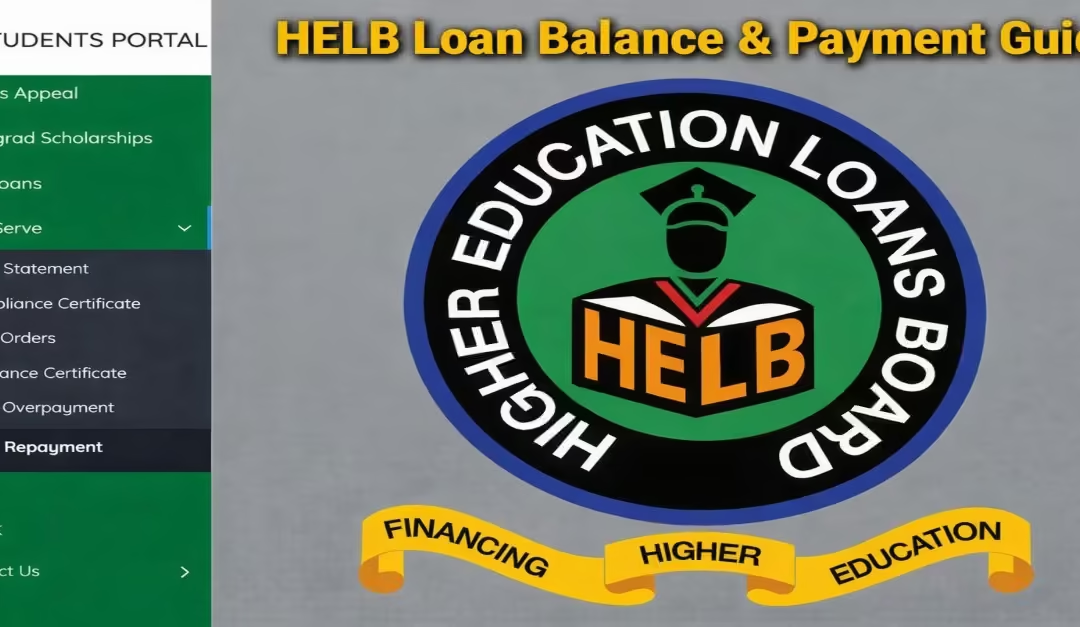
- Once logged in, go to the “Self-Serve”; this is usually located on your dashboard.
- Click on “Loan Statement.”
Your current loan balance, disbursement history, and repayment records will be shown. You can also download the statement as a PDF if you need it for official purposes.
How to Check Your HELB Loan Balance Using USSD Code *642#

This is the second method: simple, quick, and it works on any mobile phone with no internet connection needed. It is especially convenient for users who may not have access to a smartphone or a reliable internet connection.
For the best experience, it is recommended to use a Safaricom line registered with the Higher Education Loans Board (HELB), as this helps ensure smooth, accurate access to your loan details.
For First-Time Users
Quick Tip: Before checking your balance, you must complete a one-time registration on the USSD platform. Even if you already have a HELB loan account, you must also register on the USSD platform to use this method, as per Pauline (2026). You will then follow the following step-by-step procedure to register with the USSD platform.
- Dial *642# on your phone
- Select the “Register” option from the menu.
- Enter your First Name, Last Name, National ID Number, and Date of Birth
- Create a 4-digit PIN and confirm it.
- You will receive an SMS confirming successful registration.
- After registering, follow the steps for returning users below to check your balance.
For Returning Users
- Dial *642# on your phone
- Select the “Log In” option
- Enter your HELB PIN
- Choose “Loan Inquiries”
- Select “Loan Balance”
Your current loan balance will be displayed instantly on your screen.
Quick Tip: If you want a more detailed breakdown showing your principal amount, interest, and repayment history, select “Mini Statement” instead of “Loan Balance” in Step 5 above.
How to Check Your HELB Loan Balance via the Mini App (M-Pesa Super App)
Must Read: Mpesa super app, also known as Mpesa App, was recently updated by Safaricom to “My oneapp.” Inside the My oneapp, there is a Min App named “Helb.”
If you are a Safaricom user, the HELB Mini App is one of the easiest and most convenient ways to check your loan balance.
Introduced in 2023 through a partnership between the Higher Education Loans Board and Safaricom, the Mini App is built on the M-Pesa Super App, so there is no need to download a separate application.
In addition to checking your balance, it also allows you to repay your loan, withdraw upkeep funds, and apply for additional loans, all in one place.
Quick Tip: Make sure your M-Pesa line is registered under your name and linked to the same National ID used on your HELB account before you begin.
Step-by-Step Procedure
- Open the M-Pesa App on your phone.
- Tap on “financial services.”
- Select the “Education” section.
- Choose HELB from the list.
- Register on the HELB Mini App (for first-time users only)
- Log in using your M-Pesa registered phone number.
- Enter the OTP code sent to your phone via SMS.
- Select “Loan Status” or “Statements” to view your balance.
This method also lets you repay your loan, withdraw upkeep funds, and apply for additional loans—all within the same platform.
How to Repay Your HELB Loan
Repaying your loan to the Higher Education Loans Board (HELB) is now more flexible and convenient, with several payment options to suit different users. In the section, I have elaborated on 3 main methods you can use to pay your HELB loan, which include:
- Using USSD,
- The direct M-PESA Pay bill option,
- HELB Mobile App.
Method 1: How to Repay HELB Loan via USSD Code *642#
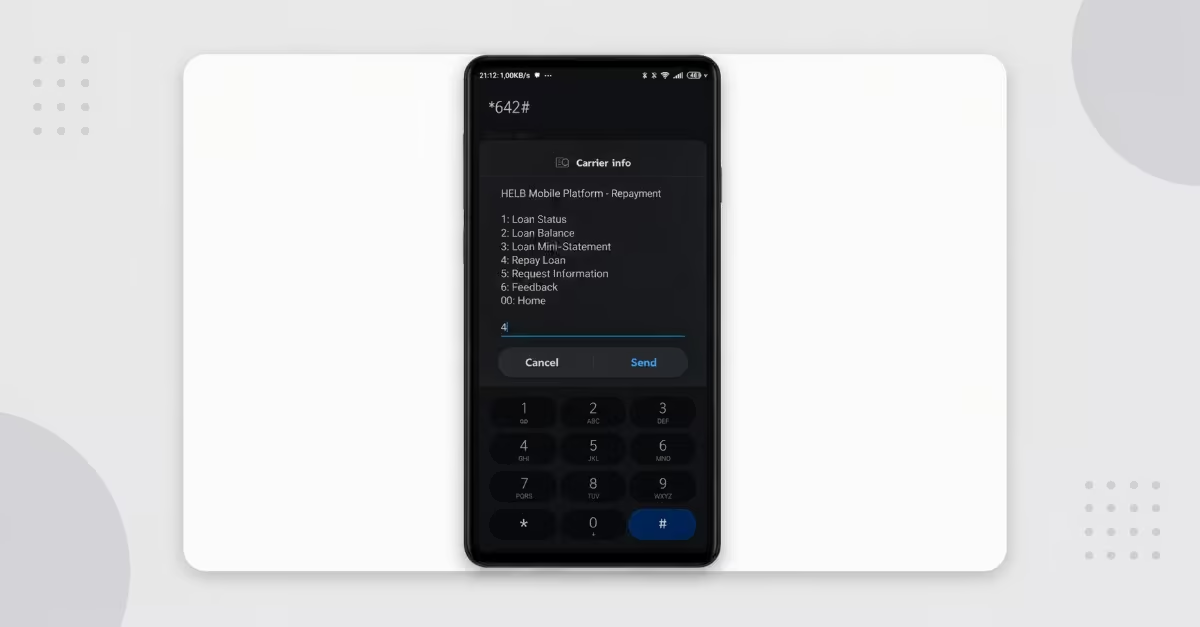
For graduates who prefer a fast and convenient way to repay their loan without visiting a bank or using the internet, the USSD code *642# is a reliable option. It works on any basic phone and does not require an internet connection. The following are the steps to be followed, as highlighted by the HowKE Team
Quick Tip: Use a Safaricom line registered under your name with the Higher Education Loans Board (HELB). All HELB repayments are processed through the eCitizen payment system, which helps ensure your payment is properly recorded and that your loan statement is automatically updated.
Step-by-Step Procedure
- Dial *642# on your phone
- Select Option 1 — “Log In” and enter your HELB PIN.
- Select Option 5 — “Loan Repayment”
- Select Option 4 — “Repay Loan”
- Choose Option 1 — M-PESA as your payment method.
- Select whether you want to pay the full amount or a specific amount.
- If paying a specific amount, enter the amount and confirm
- You will receive an SMS from eCitizen with your invoice number, amount to pay, and the HELB Pay bill number.
- Enter your M-PESA PIN when prompted to complete the transaction.
You will receive two confirmation messages — one from M-PESA and another from eCitizen — confirming that your payment was successful.
Must Read: Always keep your M-PESA confirmation SMS as proof of payment. After making the payment, allow 24–72 hours for it to reflect on your HELB loan statement. If it does not appear after this period, you can email your M-PESA receipt to info@helb.co.ke
or contact HELB support on 0711 052 000 for assistance.
Method 2: How to Repay HELB Loan via the HELB Mobile App in Kenya
The HELB Mobile App is available for both Android and iOS users and provides a simple and convenient way to repay your loan directly from your smartphone. Follow the procedure below to complete your payment.
- Open the HELB Mobile App on your smartphone.
- Log in using your registered phone number and PIN.
- Go to the “Loan Repayment” section.
- Select “Make Payment” and enter the amount you want to pay
- Enter the phone number that will receive the eCitizen payment notification and click “Process Payment.”
- Choose M-PESA as your payment method and tap “Send STK.”
- An M-PESA PIN prompt will appear on your screen — enter your PIN to complete the transaction.
- You will receive confirmation messages from both M-PESA and eCitizen, followed by another notification from HELB once the payment is successfully reflected in your loan statement.
Method 3: How to Repay HELB Loan via Direct M-Pesa Pay bill in Kenya.
This is one of the fastest and most straightforward ways to repay your loan using M-PESA, and it works on any phone with an active M-PESA account. Follow the procedure below to pay your HELB loan.
- Open the M-PESA menu on your phone.
- Select “Lipa na M-PESA”
- Choose “Pay bill.”
- Enter Business Number: 200800
- Enter Account Number: Your National ID Number
- Enter the amount you want to pay
- Enter your M-PESA PIN and confirm the transaction.
- Wait for an SMS confirmation from M-PESA showing that your payment was successful.
Quick Tip: After making the payment, allow up to 72 hours for it to reflect on your HELB loan statement. If it does not appear after this time, contact HELB on 0711 052 000 or email info@helb.co.ke with your M-PESA transaction code as proof of payment.
How to Apply for HELB Compliance/ Clearance Certificate Online in Kenya

Whether you are still repaying your loan or have already completed payment, you can easily apply for your HELB certificate online within minutes through the HEF Portal, and the service is completely free.
Quick Tip: Make sure you know which certificate you need before starting:
- Compliance Certificate — for borrowers who are still repaying but are up to date, or for individuals who never received a HELB loan
- Clearance Certificate — for borrowers who have fully repaid their loan
Read Also: TSC T-Pay Portal: How to Register, Login and Download Your Payslip (2026)
Step-by-Step Procedure
Step 1 — Register or Log In
- Visit the official Higher Education Financing Student Portal
- Log in using your registered email address and password.
- New users: Click “Register” and create an account using your National ID number and a valid email address
Step 2 — Go to Self-Service
- Once logged in, locate the menu panel on your dashboard.
- Click on “Self-Service,” then select “Compliance Certificate” from the options provided
Step 3 — Request Your Certificate
- Click “Get Compliance Certificate” if you are still repaying or did not benefit from a HELB loan.
- Click “Clearance Certificate” if you have fully repaid your loan under the Higher Education Loans Board (HELB)
Step 4 — Verify Your Details
- Enter your phone number when prompted.
- Input the OTP (One-Time Password) sent to your phone via SMS to confirm your identity.
Step 5 — Download Your Certificate
- If you qualify, your certificate will be generated instantly.
- Click “Download” or “Print Certificate”
- Save the PDF on your device for printing or official use.
Quick Tip: If you forget your password, click “Forgot Password” on the login page and follow the instructions—a reset link will be sent to your registered email address. If you experience any issues.
Conclusion
Managing your Higher Education Loans Board (HELB) loan in 2026 is now easier and more convenient due to the many digital options available. If you are checking your balance, you can use a variety of options including the Loanee Portal, USSD *642#, or the M-Pesa Super App. Also, payments have been made easy using the following methods: M-Pesa pay bill, USSD, and the HELB mobile app. This process is faster and more accessible than before. By regularly checking your loan status and making payments on time, you can avoid penalties, maintain a good financial record, and stay compliant with the law, while also helping ensure that future students continue to benefit from the same funding opportunities. Finally, you can also easily download your HELB clearance or compliance certificate if you have finished paying your loan, are continuing to pay, or didn’t benefit from the loan, respectively, using the above procedures.