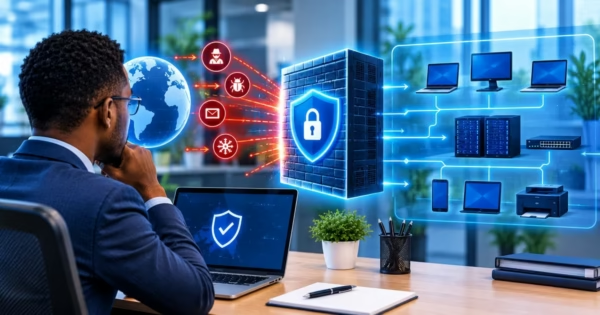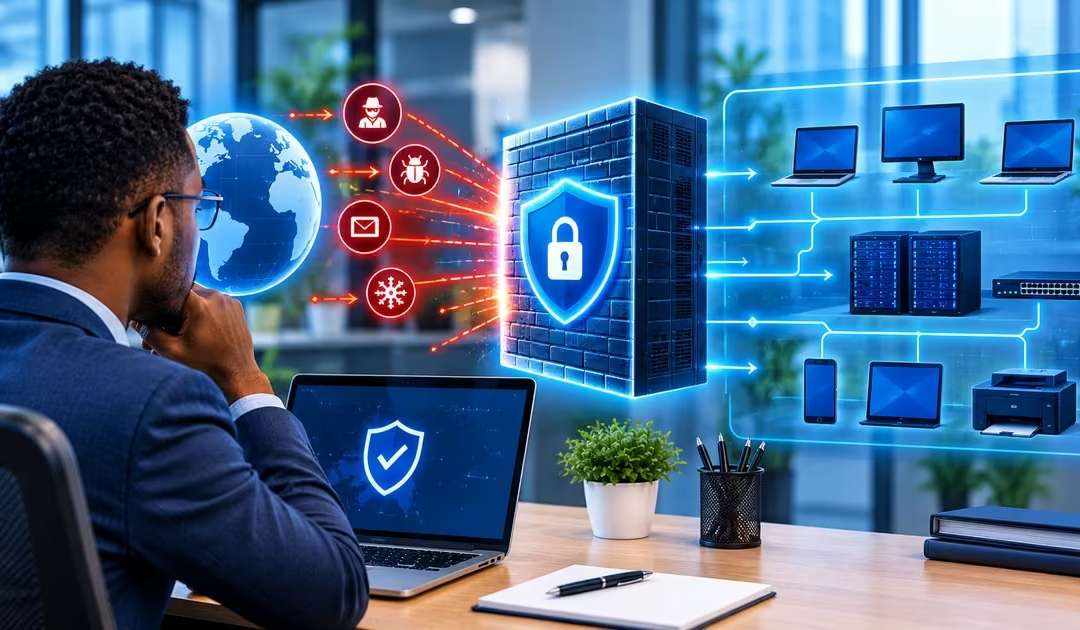
Every business that uses computers, the internet, or online services faces cybersecurity risks. Hackers may try to access company systems, steal customer information, or interfere with daily operations. Regardless of the size of the business you are running, you need to protect your digital information and systems.
A firewall is a cybersecurity tool that monitors incoming and outgoing network traffic and blocks connections that do not follow established security rules. It guards your business network, helps prevent unauthorized access, and allows legitimate connections to continue.
In this guide, we will explain:
- What Is a Network Firewall?
- How Does a Firewall Protect Business Data?
- 4 Types of Business Firewalls Explained (Hardware, Software & Cloud)
- How Do Business Firewalls Work? Step-by-Step Inspection Process
- Top 6 Reasons Your Company Needs Firewall Protection
- Essential Firewall Security Best Practices for 2026
- How to Choose the Right Firewall Protection
- Frequently Asked Questions About Firewalls and Business Security
- What Is A Firewall, and How Does It Protect My Business Network?
- Do Small Businesses Really Need a Firewall, Or Is the One Built Into My Internet Router Enough?
- What Is The Difference Between a Firewall And Antivirus Software, And Do I Need Both?
- How Much Does a Business Firewall Cost In 2026?
- Do I Still Need a Firewall If My Business Mainly Uses Cloud Applications and Has Remote Workers?
- Can A Firewall Protect My Business From Ransomware and Other Cyberattacks?
- Conclusion
What Is a Network Firewall?
A firewall is a network security system that monitors and controls incoming and outgoing network traffic using predefined security rules. According to Fortinet, it acts as a barrier between a trusted internal network and untrusted networks, such as the internet. It checks data entering or leaving a network and allows or blocks connections depending on whether they meet the established security rules.
For businesses, a firewall helps prevent unauthorised users from accessing company computers, servers, and sensitive information. It can also block suspicious connections and restrict access to websites that may expose business systems to cyber threats.
Read Also: What is an AI Security Camera Systems? Everything You Need to Know
How Does a Firewall Protect Business Data?
A firewall works by examining data packets, which are small units of information sent across a network, to identify potential security threats. Depending on its features, it may detect known malware by comparing suspicious code with patterns linked to malicious software or identify sensitive information, such as credit card details, leaving the network without authorisation. This helps businesses block harmful traffic and reduce the risk of data leaks. Based on its security rules, a firewall can take three main actions:
- Allow- Permits network traffic to pass through.
- Deny- Blocks network traffic that violates the firewall’s security rules.
- Log- Records network activities, including blocked connection attempts, their sources, and when they occurred. These records help administrators monitor suspicious activity and investigate possible security incidents.
4 Types of Business Firewalls Explained (Hardware, Software & Cloud)
The right firewall depends on your business size, network setup, security risks, and budget. Businesses can choose between built-in firewalls and dedicated solutions designed to provide additional protection.
- Built-in Firewall: This is suitable for many small businesses with basic security needs. It may already be included in your internet router or computer’s operating system. Examples include Microsoft Defender Firewall in Windows and the built-in firewall features available in many home and small-business routers.
- Hardware Firewall: They are commonly used in growing businesses with several departments, many connected devices, or more complex network security needs. Examples include physical firewall appliances such as Fortinet FortiGate, Cisco Secure Firewall, and Sophos Firewall appliances.
- Software Firewall: Protects individual computers or servers by monitoring their incoming and outgoing network connections. Examples include Microsoft Defender Firewall for Windows computers and Linux firewall tools such as UFW (Uncomplicated Firewall).
- Cloud-based Firewall: Suitable for businesses that use cloud services, have remote employees, or operate across multiple locations. Examples include Cloudflare Magic Firewall, AWS Network Firewall, and Google Cloud Firewall.
Before choosing a firewall, assess your security needs and how many devices you want to protect. A small business may start with a built-in firewall, while a larger organisation may need a dedicated or cloud-based solution. For stronger protection, combine firewall security with antivirus software, regular system updates, and secure access controls.
How Do Business Firewalls Work? Step-by-Step Inspection Process
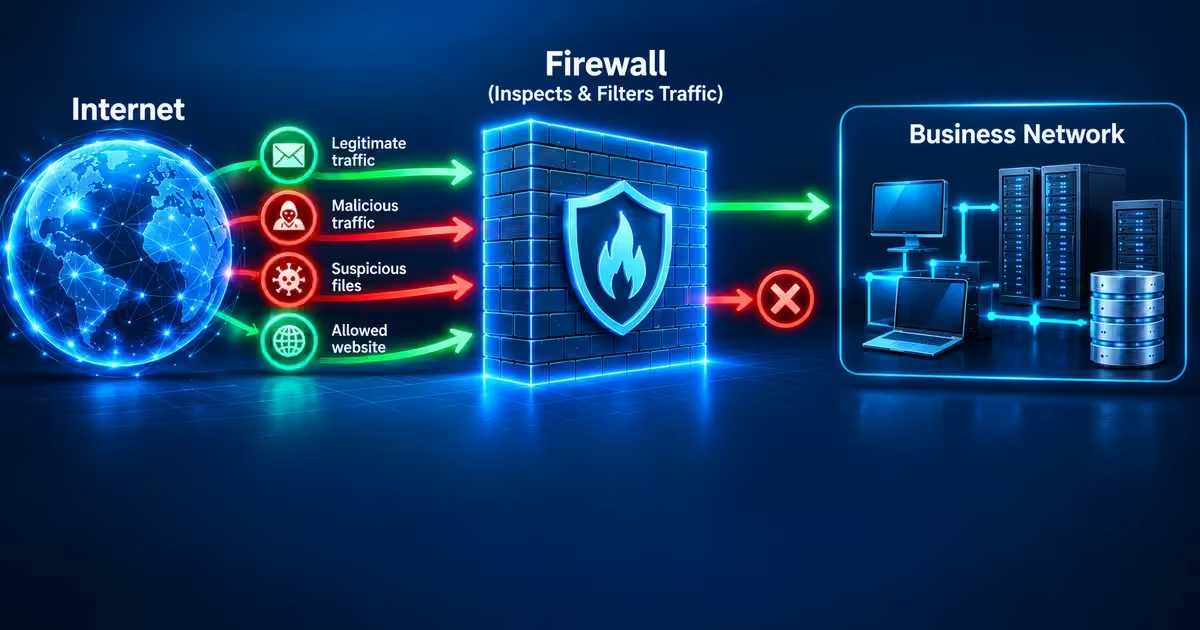
A network firewall monitors and controls data traffic moving between networks, such as a business’s internal network and the internet. It uses predefined security rules to decide which connections to allow and which to block. The process generally follows these steps:
a) A Connection Is Attempted
When a computer tries to access a website, a server, or another network device, it sends data requesting a connection. Similarly, an external device may attempt to connect to a service within the business network.
b) The Firewall Inspects the Traffic
The firewall examines connection information to determine where the traffic comes from, where it is going, and the type of communication involved. More advanced firewalls can also examine application activity and identify certain suspicious traffic patterns.
c) The Firewall Checks Its Security Rules
The firewall compares the connection with rules set by the network administrator. These rules may specify which devices, IP addresses, applications, or network services can communicate.
d) The Traffic Is Allowed or Blocked
If the connection meets the firewall’s security rules, the traffic passes. If it violates those rules, the firewall blocks or rejects the connection. This helps prevent unauthorised access to the business network.
e) The Firewall Records Network Activity
Many firewalls keep logs showing connection attempts and whether traffic was allowed or blocked. Administrators can review these records to identify unusual activity, investigate security incidents, and improve network protection.
Top 6 Reasons Your Company Needs Firewall Protection
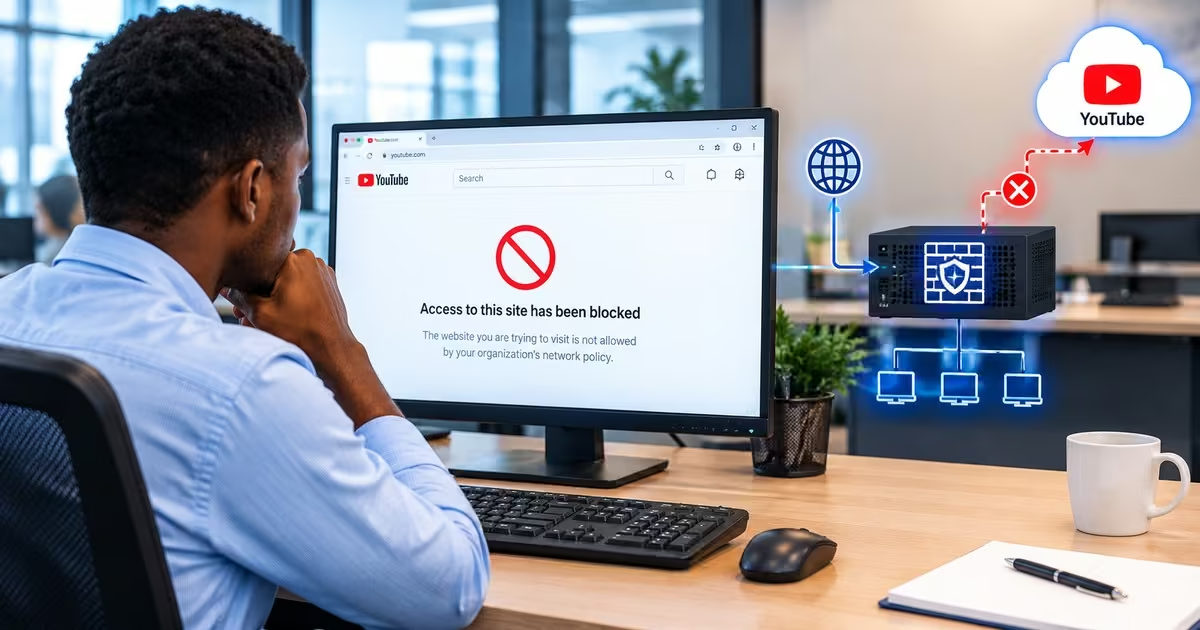
Network firewall security is an important part of protecting a business’s computer systems, internet connections, and digital resources. It helps manage network traffic according to established security rules, giving businesses greater control over how devices communicate and access information.
a) Protects Against Hackers
A firewall monitors incoming network traffic and blocks suspicious or unauthorised connections. This makes it more difficult for hackers to access business systems and sensitive information through network connections that are not properly secured.
b) Prevents Unauthorised Access to Business Data
Businesses handle sensitive information, including customer records, financial details, and internal documents. A firewall helps control access to network resources, reducing the risk of unauthorised access and potential data breaches.
c) Helps Block Malicious Traffic
Some network connections may expose business computers to malware and other cyber threats. A firewall can block suspicious traffic based on its security rules, helping reduce the risk of malicious software reaching connected systems.
d) Controls Internet and Network Usage
Businesses can configure certain firewalls to restrict access to specific websites, applications, or network services. This helps enforce workplace internet policies and reduces exposure to potentially harmful websites.
e) Monitors Suspicious Network Activity
Many firewalls record connection attempts and other network events. Reviewing these records helps IT administrators spot unusual activity, investigate potential threats, and respond to security incidents faster.
f) Supports Secure Remote Access
Some business firewalls support virtual private network (VPN) connections, which use encryption to protect data travelling across public networks. This helps employees access company resources remotely through a more secure connection.
Read Also: How to Choose the Best ERP System Software for Your Business
Essential Firewall Security Best Practices for 2026
A firewall provides better protection when it is configured correctly and maintained regularly. Businesses should follow these best practices to reduce network security risks.
a) Configure Firewall Rules Properly
Allow only the network traffic your business needs and block unauthorized connections. Review the rules regularly and remove outdated permissions that could expose your systems to security threats.
b) Keep Firewall Software Updated
Install firewall updates and security patches promptly. These updates help fix known security weaknesses, improve performance, and protect against vulnerabilities that attackers may exploit.
c) Monitor Firewall Logs and Alerts
Check firewall logs and security alerts for unusual connection attempts, repeated access failures, or unexpected traffic. Investigating suspicious activity early can help identify potential attacks before they cause serious damage.
d) Use Multiple Layers of Security
Do not rely on a firewall alone. Combine it with antivirus or endpoint protection software, intrusion detection and prevention systems (IDS/IPS), strong authentication, and regular data backups to provide broader protection against cyber threats.
e) Limit User Access
Apply the principle of least privilege by giving employees access only to the systems and resources they need to perform their jobs. Restrict administrative access to authorized personnel and use strong authentication to reduce the risk of unauthorized changes to firewall settings
f) Back Up Firewall Configurations
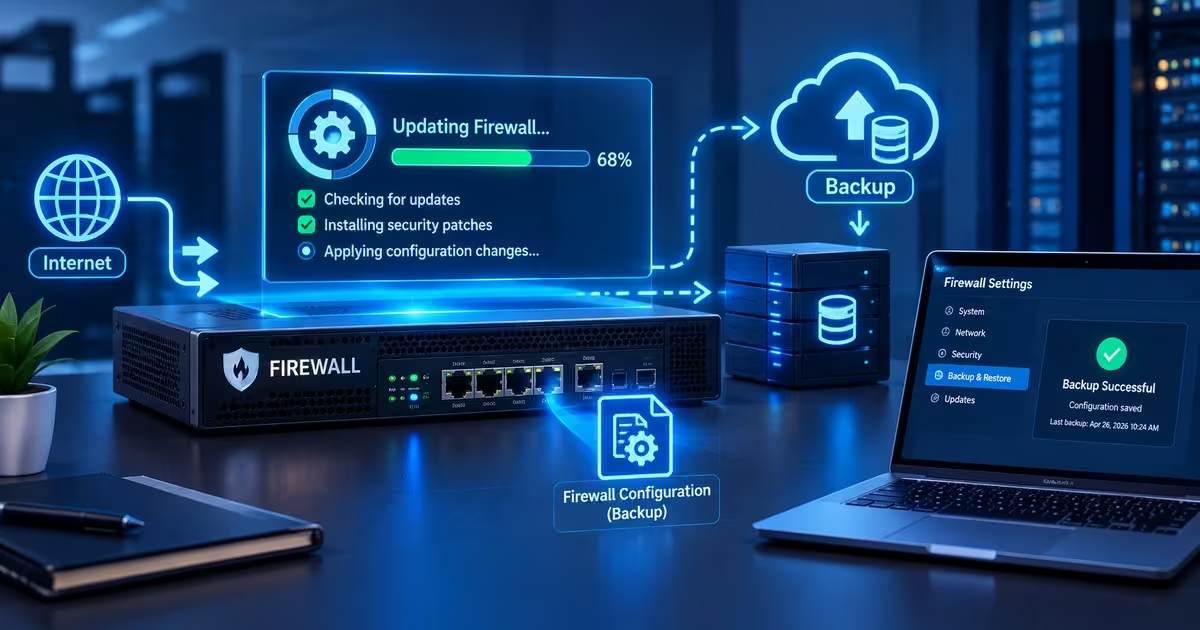
Keep a secure backup of your firewall settings and update it whenever important configuration changes are made. If the firewall fails or its settings are accidentally changed, the backup can help you restore the correct security settings faster.
g) Test and Review Firewall Security
Review firewall rules regularly and test whether they work as intended. Remove unnecessary open ports and permissions, and assess whether the firewall still meets your business’s changing security needs.
How to Choose the Right Firewall Protection
Choosing the right firewall depends on your business size, network setup, security risks, and budget. Before investing in a firewall, consider these factors to ensure it meets your current needs and supports future growth.
a) Scalability
Choose a firewall that can accommodate more employees, devices, and network connections as your business grows. This helps you avoid replacing the system too soon as your security needs change.
b) Performance
A firewall should protect your network without significantly slowing down internet access or business applications. Consider its ability to handle your expected network traffic, especially when several employees are connected at the same time.
c) Ease of Management
Select a firewall that your IT team or service provider can configure, monitor, and maintain effectively. Features such as a clear management dashboard, automatic alerts, and easy-to-understand reports can simplify daily security tasks.
d) Security Features
Evaluate the available security features, including intrusion prevention, application control, VPN support, and the ability to detect malware or suspicious traffic. Choose features that match your business risks rather than paying for capabilities you may not need.
e) Cost and Maintenance
Consider the total cost, including the initial purchase or subscription, installation, renewals, maintenance, and technical support. A suitable firewall should fit your budget while providing the level of protection your business needs.
Frequently Asked Questions About Firewalls and Business Security
What Is A Firewall, and How Does It Protect My Business Network?
A firewall is a network security system available as hardware, software, or a cloud-based service. It monitors incoming and outgoing network traffic and allows or blocks connections based on predefined security rules. It helps protect your business by blocking unauthorized access attempts, restricting suspicious connections, and preventing some automated attacks and malware-related threats before they reach your computers or servers.
Do Small Businesses Really Need a Firewall, Or Is the One Built Into My Internet Router Enough?
Yes, small businesses connected to the internet need firewall protection. The basic firewall included in many internet routers provides essential protection, but it may lack advanced features such as intrusion prevention, application control, detailed activity logs, and regularly updated threat detection. Thus, depending on your business needs, a dedicated business firewall may provide protection against automated attacks, ransomware, and unauthorized access.
What Is The Difference Between a Firewall And Antivirus Software, And Do I Need Both?
A firewall controls network traffic by deciding which connections to allow or block based on security rules. Antivirus software, or modern endpoint protection, checks files, applications, and processes on individual devices to detect and respond to malware. Both provide important but different layers of security. A firewall blocks suspicious network traffic, while antivirus software detects threats that may arrive through emails, downloads, or USB drives.
How Much Does a Business Firewall Cost In 2026?
The cost of a business firewall depends on its type, security features, network capacity, and provider. Hardware costs, security subscriptions, installation, and ongoing maintenance can all add up. Some small businesses may use existing router or operating-system firewall features, while others may need a dedicated business solution with paid security services. Before purchasing one, compare the total cost, including annual renewals and technical support. Obtain current quotations from providers to establish the cost in your local currency.
Do I Still Need a Firewall If My Business Mainly Uses Cloud Applications and Has Remote Workers?
Yes. Businesses that rely on cloud applications and remote employees still need to protect their devices, office networks, and remote connections. A firewall can help filter network traffic and enforce security rules, while a cloud-based firewall or secure access service edge (SASE) solution may protect different locations. Virtual private networks (VPNs) and other secure access controls can also help protect connections to company resources.
Can A Firewall Protect My Business From Ransomware and Other Cyberattacks?
However, a properly configured firewall reduces ransomware risk by blocking unauthorized connections and restricting access to resources. However, it cannot prevent every threat, especially attacks involving phishing emails, stolen passwords, or previously unknown vulnerabilities. Moreover, combine a firewall with endpoint security, multi-factor authentication, regular software updates, employee cybersecurity training, and reliable data backups.
Read Also: How Cloud Computing is Transforming Modern Business
Conclusion
A firewall is essential to business cybersecurity because it helps prevent unauthorised access, block suspicious network traffic, and protect sensitive company information. When choosing a firewall for your business, consider factors like cost, performance impact, security features, and ease of management for your IT team. A firewall can help control what enters your network, block hackers, manage internet usage, stop malicious traffic, and prevent unauthorized access to your data. A firewall alone cannot prevent every cyber threat, so it should be combined with antivirus software, regular security updates, strong access controls, and reliable data backups.