
Artificial intelligence (AI) is changing how university students research, study, write assignments, prepare presentations, and revise for examinations. In Kenya, where students often balance demanding coursework, financial challenges, and busy campus schedules, free AI tools can make academic work more manageable.
Whether you study at the University of Nairobi, Kenyatta University, JKUAT, Moi University, Maseno University, Kisii University, or another institution, learning to use AI responsibly is becoming an important digital skill.
Previously, students relied heavily on textbooks, lecture notes, libraries, and ordinary internet searches. Today, AI-powered applications can explain difficult concepts, summarize lengthy documents, generate practice questions, organize notes, and help prepare presentations.
However, not every AI tool is completely free, and not every AI-generated answer is accurate. Many platforms offer free plans with usage limits, while advanced features require subscriptions.
Free AI Tools for University Students
This guide explores 10 useful AI tools university students can access for free in 2026, their academic applications, and how to use them responsibly without compromising academic integrity.
1. ChatGPT – Best for Understanding Difficult Concepts

ChatGPT is a conversational AI assistant that can help students understand academic concepts, brainstorm ideas, practise examination questions, and improve their writing.
For example, a computer science student struggling with database normalization can request a simple explanation with examples. A business student can ask for a step-by-step demonstration of financial calculations.
ChatGPT can also generate flashcards, explain mathematical procedures, and help students identify weaknesses in their understanding.
A useful prompt is: Explain the OSI model in simple language for a first-year university student. Include examples and five revision questions.
The free plan provides access to AI assistance, although model access, uploads, and other features may be limited.
Note: Students should verify factual claims, calculations, and references rather than copying responses directly into assignments.
Read Also: AI-Generated Contracts Explained: Are They Enforceable in Court?
2. Google Gemini – Best for Research and Everyday Learning

Google Gemini is an AI assistant developed by Google. Students can use it to explore academic topics, simplify explanations, develop study plans, and brainstorm project ideas.
For instance, an education student could ask Gemini to explain different teaching methodologies, while an economics student could request an introduction to inflation and monetary policy.
Gemini can also help generate revision questions and compare concepts. Its integration with Google’s broader ecosystem may be useful for students already familiar with Google services.
A free version is available, although advanced capabilities and usage limits vary.
When using Gemini for academic research, students should consult original sources rather than assuming every generated statement is accurate.
3. NotebookLM – Best for Studying Lecture Notes and PDFs
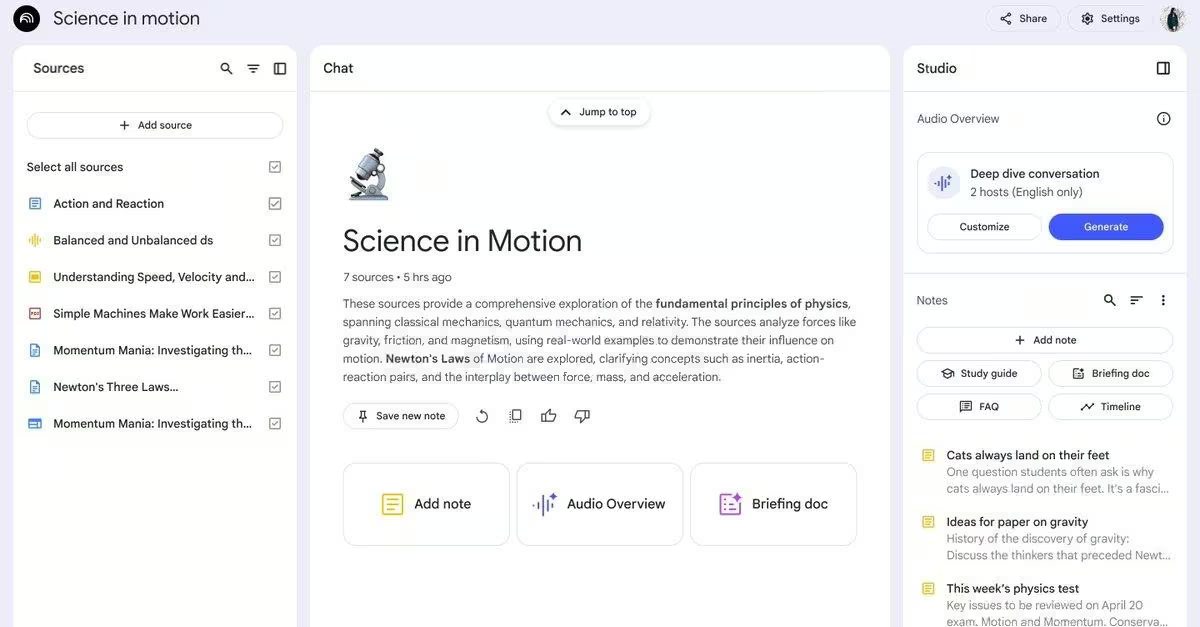
NotebookLM is particularly useful for students who have lengthy lecture notes, research documents, and academic PDFs. Instead of repeatedly reading an entire document, students can upload supported materials and ask questions based on those sources.
For example, a nursing student could upload lecture notes about human anatomy and request a summary of the major concepts.
NotebookLM can also help generate study guides, identify important themes, and create audio discussions of uploaded material.
One advantage is that responses can include references to the supplied sources, making it easier to check where information originated. However, students must still confirm that summaries accurately represent the original documents.
NotebookLM offers free access with limits on notebooks, sources, and certain features.
4. Perplexity AI – Best for Finding Research Information

Perplexity AI is an AI-powered search tool that provides answers alongside links to information sources. This can help students identify useful websites, discover background information, and explore research topics.
For example, a student researching renewable energy adoption in Kenya could use Perplexity to identify relevant policies, reports, and studies.
Its source links make it convenient to investigate where information comes from. Nevertheless, linked sources do not guarantee that every statement is supported correctly.
Students should open the original publications, verify the evidence, and confirm whether sources meet their lecturer’s academic requirements. Perplexity offers free searches, while certain advanced research features have restrictions. For formal assignments, it should complement rather than replace Google Scholar and university library databases.
5. Grammarly – Best for Grammar and Academic Writing
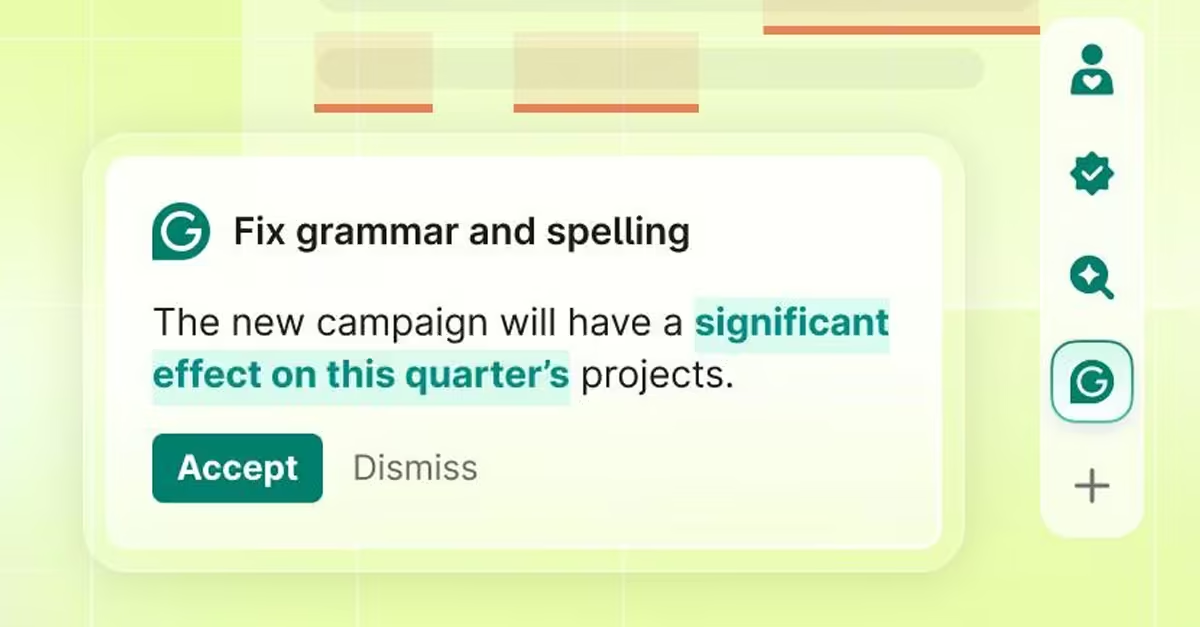
Grammarly is a writing assistant that helps identify spelling, punctuation, grammar, and clarity issues. For university students preparing essays, reports, research proposals, and professional emails, it can support proofreading.
For example, a student completing a business management assignment can use Grammarly to identify unclear sentences and grammatical mistakes before submission.
The free version includes basic writing assistance, while more advanced rewriting and AI features may require payment. However, students should review suggested corrections carefully.
Grammarly cannot determine whether your arguments are academically sound or whether your references are accurate.
Use it to improve the presentation of your own ideas rather than allowing automated suggestions to change their meaning.
6. Canva AI – Best for Presentations and Graphic Design
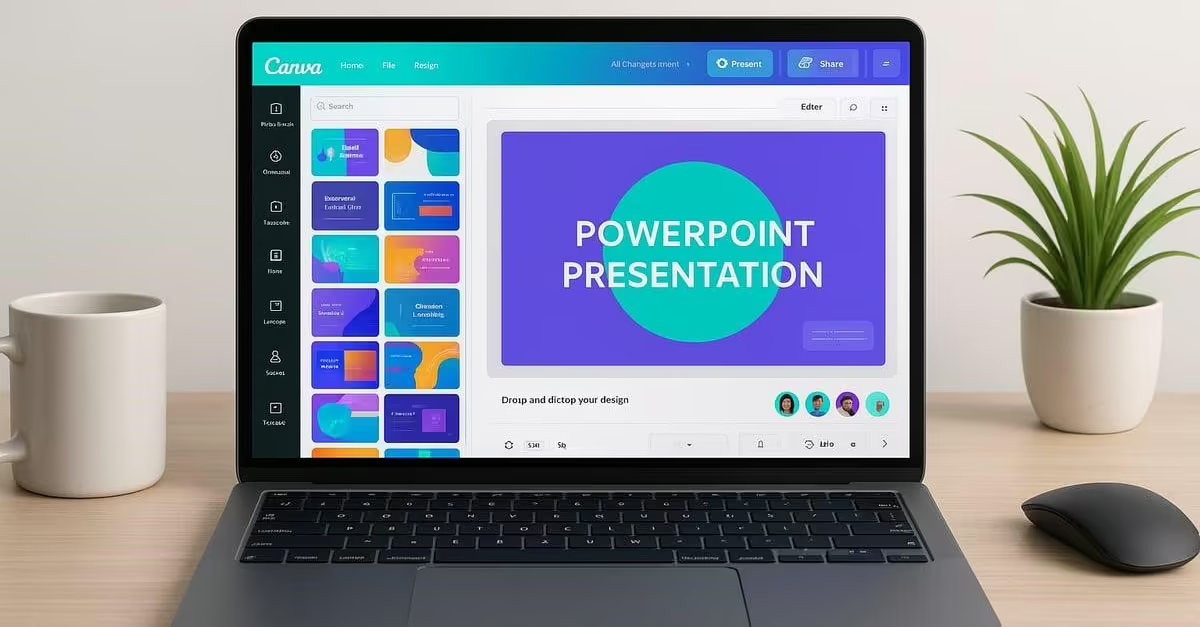
Canva is a popular design platform that includes AI-assisted creative tools. It is useful for students preparing class presentations, academic posters, project illustrations, and visual reports.
For example, an entrepreneurship student can create a business pitch presentation, while an education student can design an infographic explaining teaching strategies.
Canva provides free templates and design features, with some AI tools available under usage limits. Students can customize presentation layouts, insert charts, organize information, and create professional-looking slides. However, attractive slides cannot replace accurate academic content. Verify information before presenting it and acknowledge copyrighted materials when necessary.
7. Microsoft Copilot – Best for Productivity and Study Planning
Microsoft Copilot is an AI assistant that helps users answer questions, brainstorm ideas, and organize tasks. Students can use its free conversational features to develop revision timetables, understand academic concepts, and prepare outlines for reports.
For example, a student taking six university units could request a two-week revision schedule based on examination dates.
Copilot can also help explain spreadsheet formulas, business concepts, and introductory programming topics. Although basic Copilot chat is available free, advanced integration with Microsoft Word, Excel, and PowerPoint may require an eligible subscription or institutional license.
Students should distinguish between the free chatbot and premium Microsoft 365 Copilot features.
8. Elicit – Best for Academic Literature Reviews
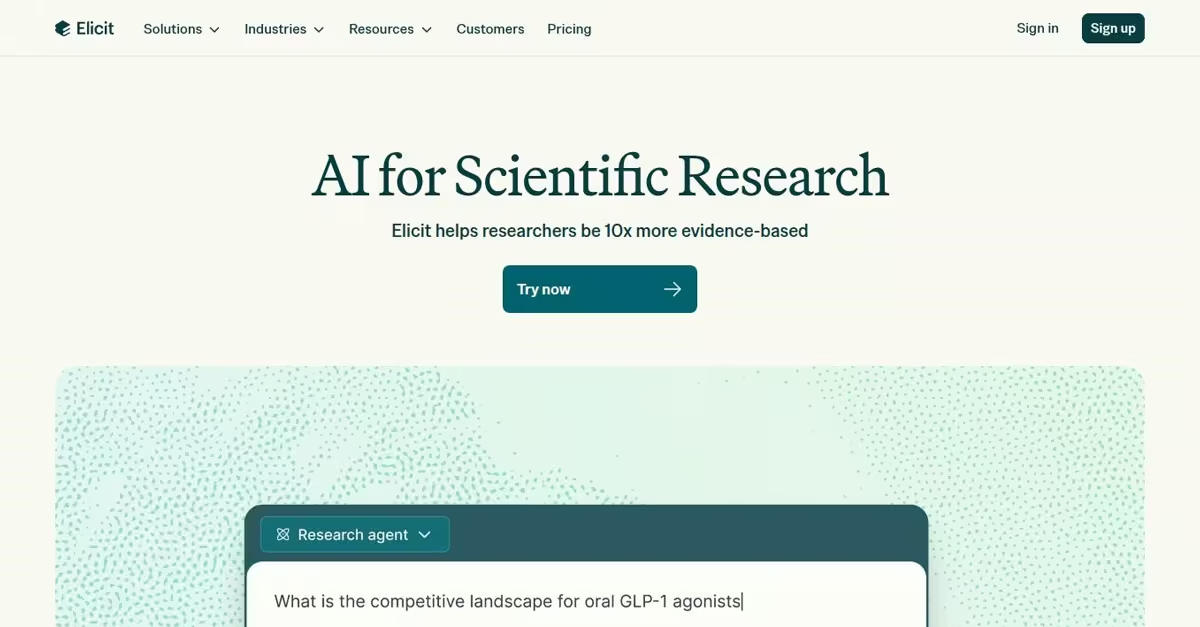
Elicit is an AI research assistant designed to help users discover and analyze scholarly literature.
It is particularly useful for students preparing research proposals, dissertations, and literature reviews.
For example, a public health student researching factors affecting maternal healthcare access in Kenya could use Elicit to identify relevant studies.
The platform can help students compare research findings and explore questions across academic publications. Its free tier provides limited research capabilities, while larger workflows and advanced features may require payment.
Students should read the original research papers before incorporating findings into assignments.
Elicit should support the research process rather than replace critical evaluation or independent academic writing.
9. Quizlet – Best for Flashcards and Exam Preparation
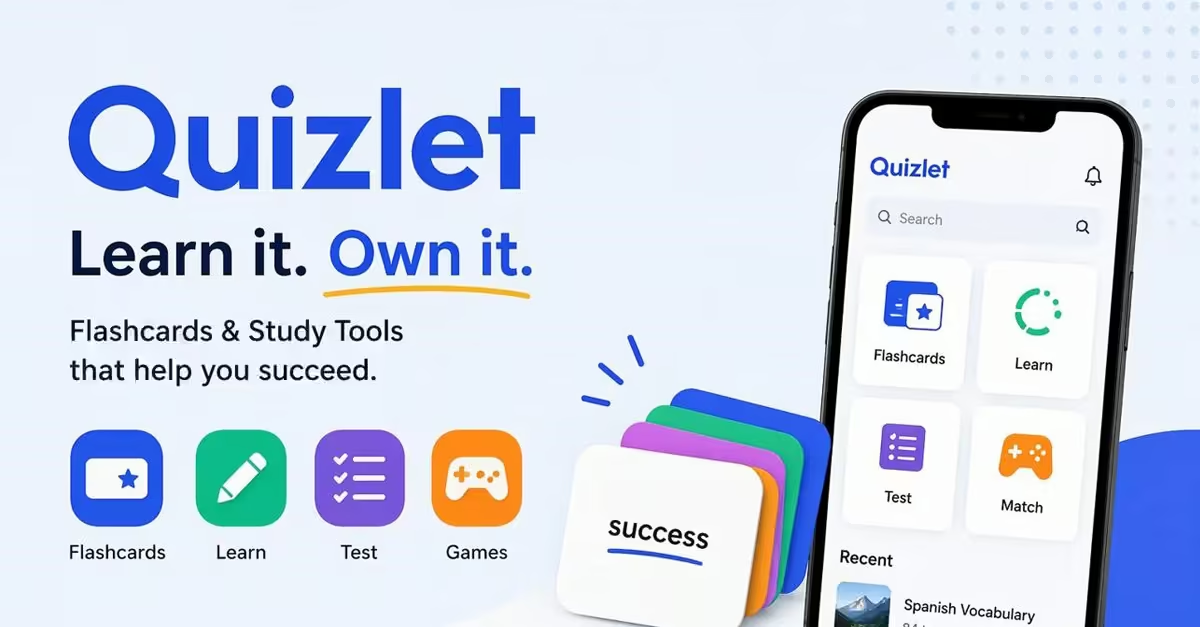
Quizlet is a study platform that helps students revise information using digital flashcards and learning activities. It is especially useful for courses requiring memorization of definitions, formulas, scientific terminology, and technical concepts.
For example, a nursing student can create flashcards covering anatomy terminology, while a law student can revise legal principles.
Quizlet also offers AI-supported study features, although their availability depends on the account and subscription. Students can create basic flashcards without paying, but some advanced learning features are restricted. For better results, combine flashcards with active recall, past papers, and explanations of difficult concepts.
10. Gamma – Best for Creating AI-Assisted Presentations
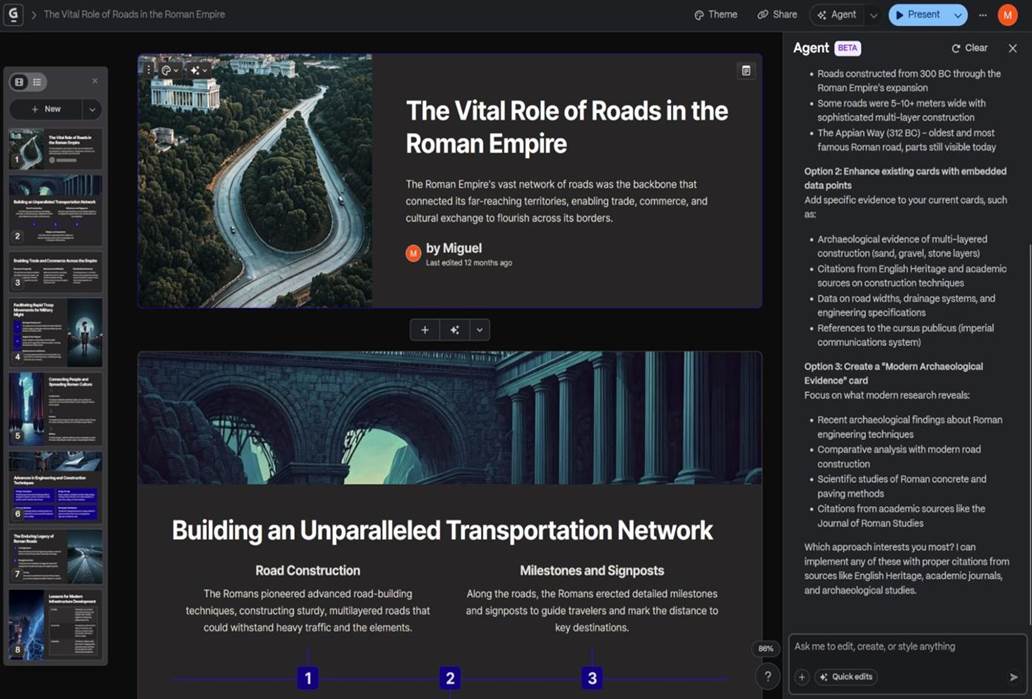
Gamma is an AI-powered presentation platform that helps users transform ideas and outlines into visual presentations.
Students can enter a topic, provide instructions, and generate an initial slide structure.
For example, a business student preparing a presentation on digital entrepreneurship could use Gamma to organize the introduction, main discussion, examples, and conclusion. This can reduce the time spent arranging slide layouts.
Gamma offers a free tier with limited AI credits and features. Students should edit the generated slides, verify statistics, add appropriate references, and ensure the final presentation follows their lecturer’s instructions.
Read Also: How to Prepare for Exams: 10 Proven Study Techniques for Students
Comparison of the Best Free AI Tools for Students
| AI tool | Best academic use | Free access |
| ChatGPT | Explanations and revision | Free plan |
| Google Gemini | Research and learning | Free plan |
| NotebookLM | Lecture notes and PDFs | Free plan |
| Perplexity | Research discovery | Free plan |
| Grammarly | Grammar and proofreading | Free plan |
| Canva | Presentations and design | Free plan |
| Microsoft Copilot | Productivity and planning | Free chat |
| Elicit | Literature reviews | Limited free tier |
| Quizlet | Flashcards and revision | Free basic features |
| Gamma | AI presentations | Limited free credits |
Free plans are not necessarily unlimited. Features, eligibility, and usage allowances can change.
How University Students Can Use AI Responsibly
Although AI tools offer significant academic benefits, students must understand the difference between learning assistance and academic misconduct.
- AI should help students understand concepts, organize ideas, and improve their work rather than complete assessments dishonestly.
- Before using AI for an assignment, check your university’s academic integrity policies and the lecturer’s specific instructions.
- Students should also avoid submitting AI-generated research references without verification. AI systems sometimes produce incorrect publication details or nonexistent sources.
- When working with academic research, confirm citations using Google Scholar, journal websites, or university library databases.
- Privacy is another important consideration. Avoid uploading confidential student records, examination materials, unpublished research, or personal information without permission.
- Students should also develop independent thinking and writing skills rather than depending entirely on automated answers.
How to Choose the Right AI Tool for Your Course
Different courses require different types of academic support.
- For example, computer science students may benefit from ChatGPT or Copilot when understanding programming concepts.
- Nursing and medical students may find NotebookLM useful for organizing lecture materials and Quizlet helpful for terminology revision.
- Business students can use Canva and Gamma to prepare presentations, while postgraduate students may benefit from Elicit when exploring research literature.
- Students preparing for examinations can combine AI-generated practice questions with active recall and past examination papers.
The most effective approach is to select tools that address specific learning challenges instead of registering for every available platform.
Special AI Opportunities for University Students in 2026
Google announced an offer in August 2026 providing eligible college and university students across Africa with 12 months of Google AI Plus at no cost. The offer includes enhanced Gemini study capabilities and is subject to eligibility and enrollment conditions.
Kenyan students can review the official Google student offer announcement to check the details.
Similarly, ChatGPT continues to provide a free plan with learning tools, including study assistance and limited access to additional capabilities.
Students should check official websites regularly because educational offers and subscription conditions may change.
Frequently Asked Questions About Free AI Tools
Which AI Tool Is Best for University Students?
ChatGPT and Gemini are versatile options for general learning, while NotebookLM is particularly useful for studying uploaded course materials. The best choice depends on the task.
Can I Use AI To Write University Assignments?
That depends on your institution’s policies and the assignment instructions. Using AI for brainstorming or proofreading may be permitted even when submitting AI-written answers is prohibited.
Are All AI Tools Completely Free?
No. Most provide free plans or limited features, while advanced functions require payment.
Can AI Help Students Prepare For Examinations?
Yes. AI tools can explain concepts, generate revision questions, create study schedules, and support flashcard preparation.
Can I Use AI Tools On My Smartphone?
Yes. Many AI services work through mobile browsers or dedicated applications, making them accessible to students without laptops.
Read Also: How AI Meeting Assistants Are Replacing Traditional Note-Taking
Conclusion
Artificial intelligence is becoming an important part of university education, offering Kenyan students new ways to research, study, organize information, and prepare academic work.
From ChatGPT and Gemini to NotebookLM, Grammarly, Canva, and Elicit, free AI tools can support different stages of the learning process. However, their greatest value comes from helping students understand information rather than simply producing answers.
For university students, learning to use AI responsibly can strengthen digital literacy, improve academic productivity, and develop skills relevant to future employment. The goal is not to let artificial intelligence do all your thinking. It is to use AI as a learning assistant while developing your own knowledge, creativity, and critical-thinking abilities.